Power Pages Agentic Coding: The Skill to Learn Now
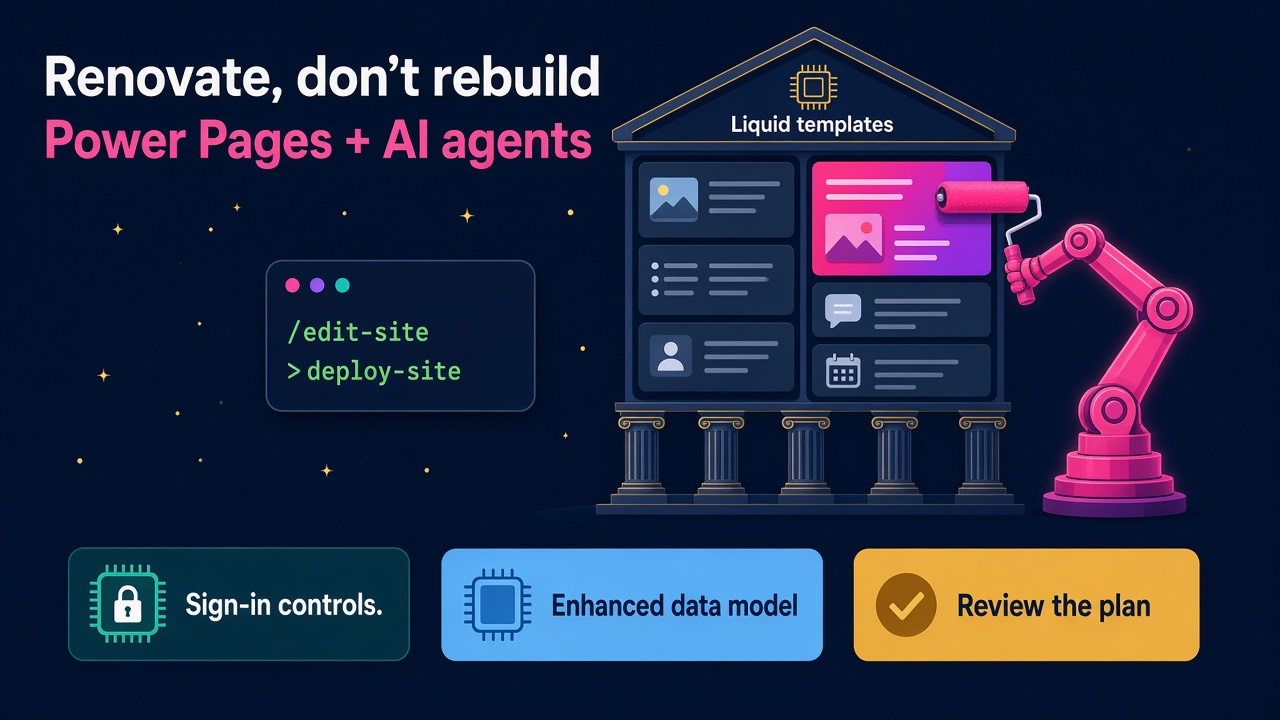
The Power Pages plugin can now create and edit Liquid sites in GitHub Copilot CLI and Claude Code. What the 6 Nov preview means for portal pros.
If you have ever inherited a Power Pages site built on web templates and Liquid, you'll know the feeling. It works, the customers use it, the forms are wired into Dataverse, and nobody wants to touch it. Every small change request (a new FAQ page, a refreshed header, a tweak to the navigation) turns into a careful afternoon of digging through templates and content snippets.
That changed on 6 November 2026. Microsoft announced preview support for non-SPA Power Pages sites in its Power Pages plugin for GitHub Copilot CLI and Claude Code. In plain English, you can now describe the change you want to a coding agent and it will edit your existing Liquid portal for you, without asking you to rewrite the whole thing as a React app first.
Three days later, on 9 November, Microsoft added new authentication governance controls in public preview. Put the two together and you get a very clear picture of where portal work is heading: faster building by agents, tighter control by admins, and a growing need for people who can do both properly.
What actually shipped on 6 November?
Until now, the Power Pages plugin focused on single-page applications built with React, Angular, Vue and Astro. That was great for new builds, but most real-world portals in the Dynamics 365 world are traditional sites. Customer self-service portals, partner portals, supplier portals and community registration sites have mostly been built on web templates and Liquid for years.
According to Microsoft's announcement, the new preview lets you:
- Create a site from a Microsoft-provided template labelled Non-SPA, using web templates and Liquid.
- Edit an existing site without an architecture rewrite, using
/edit-siteon a site downloaded with Power Platform CLI (PAC CLI). That includes sites originally created in design studio. - Update pages and shared content: add pages and navigation, update content in your site's languages, edit reusable content snippets and web templates, and change styling.
- Review before you publish. For changes across several pages or components, the plugin shows a customisation plan in your browser. Local edits don't touch the live site, and deployment needs a separate approval.
A few details matter if you are going to use it for client work:
- You need version 3.0.0 or later of the plugin. If you already have it installed in GitHub Copilot CLI, Microsoft says to run
copilot plugin update power-pages@power-platform-skills. - To install it fresh, you need Node.js LTS, Power Platform CLI and Azure CLI, then
/plugin marketplace add microsoft/power-platform-skillsand/plugin install power-pages@power-platform-skills. - New non-SPA sites use the enhanced data model with Bootstrap 5. An environment admin has to confirm that Switch to enhanced data model is enabled. The plugin won't change that shared setting for you.
- Editing works on sites using either the standard or enhanced data model, and Microsoft is clear that the editing workflow doesn't change your data model, replace Bootstrap or convert your site to an SPA.
- When you deploy with
/deploy-site, the plugin usespac pages upload, confirms the target environment and website identity, and asks you to approve the upload. You can then use/test-siteto check the deployed site.
Microsoft also says plainly that local checks verify files and references, not how the site looks or behaves in design studio. So someone still needs to open a browser and look at it.
And the 9 November sign-in controls?
The second announcement is less flashy and, for many clients, just as important. Previously, admins could only allow or block external authentication across Power Pages. Now, in public preview, administrators can manage authentication choices centrally from the Power Platform admin center:
- Protocol-level controls to allow or block OpenID Connect, SAML 2.0, WS-Federation and OAuth 2.0.
- OAuth 2.0 provider controls to allow or block Google, Microsoft and Facebook individually.
- Local authentication controls to restrict sign-in with locally stored usernames and passwords.
Restrictions can target specific sites, blocked options show greyed out in design studio with a message explaining why, and site owners get an email when a control is applied. You need the Power Platform Administrator or Dynamics 365 Administrator role to set them up. Microsoft also warns that before you block a method, you should make sure affected sites have another sign-in method ready, because the admin center will show you which live sites and users are affected.
Why does this matter for D365 professionals?
I've watched a lot of technology waves land on the Microsoft partner world, and the pattern is always the same. The tedious part of the job gets faster, the volume of work goes up, and the people who learn the new way early get the best projects.
Portals have always been a bit of a bottleneck. Clients want more self-service, more partner access and more online forms connected to their CRM and ERP data, but every change needs someone who understands Liquid, the Power Pages data model, table permissions and web roles. There were never enough of those people.
Now a consultant can say "add an FAQ page, put it in the navigation and use the site's existing style" and get a reviewed plan in minutes. That doesn't remove the consultant. It removes the afternoon of digging. The client gets their change faster, and you get to spend your time on the parts that actually need judgement.
I am quite optimistic about this one, and I don't think that's naive. Here's why.
The backlog of portal work is huge
Most organisations running Dynamics 365 Customer Service, Field Service or Sales have a portal wish list as long as your arm. When the cost of each change drops, more of that list gets done. In my experience, cheaper output creates more demand, not less. Teams that used to approve two portal projects a year will approve six.
Nobody has to rip out a working site
The most practical part of the 6 November news is the line about editing without an architecture rewrite. Plenty of partners have been quietly pitching "let's rebuild your portal as an SPA" because that was where the AI tooling was. Now the conversation can be "let's improve the site you already have", which is a much easier sell and a much safer project.
Governance work goes up, not down
Faster building by agents always increases the need for good controls. The new authentication settings are a perfect example. Someone has to decide which identity providers are allowed, which sites get an exception, and how to move users off local passwords without locking them out. That's a real piece of consulting work, and it pairs neatly with the agent security themes we've covered in agent-only security roles for F&O.
Who benefits most?
- Power Pages developers who already know Liquid. You now have a very fast assistant that understands your templates. Your value shifts from typing to reviewing, testing and deciding.
- Functional D365 consultants who have avoided portal work because of the code. The barrier to making sensible changes just dropped a long way, as long as you learn how to review a plan and test properly.
- Power Platform admins. The authentication controls give you a central way to enforce policy across every site in a tenant, which most large clients will want sorted before the preview goes GA.
- Partners and independents who can offer "portal refresh" packages. Branding refreshes, navigation clean-ups, new content pages and accessibility fixes all become quicker and easier to quote.
What should you learn first?
Here's a practical list you can work through over the next week or two. None of it needs a client project.
- Install the toolchain. Node.js LTS, PAC CLI and Azure CLI, then GitHub Copilot CLI or Claude Code and the Power Pages plugin. Getting it running end to end is half the learning.
- Get a trial or developer environment and confirm the enhanced data model setting is switched on. Note who has the rights to change it, because that question will come up on every client site.
- Create one non-SPA site from a Microsoft template. Use something simple, like Microsoft's own example of a community programme registration site.
- Download an existing site with
pac pages downloadand try/edit-siteon it. Add a page, change the navigation, refresh the header and footer, and keep the sign-in behaviour and data-bound components untouched. - Read every plan before you approve it. Get into the habit of checking what the agent says will change and what will stay the same. That habit is the skill clients will pay for.
- Keep everything in Git. Microsoft recommends keeping downloaded files under source control, and the plugin saves original files to Git when it creates a site. Learn to read a diff if you can't already.
- Deploy to a test environment and check it in a browser and design studio. Then run
/test-site. Remember that local checks don't tell you how the site looks. - Play with the authentication controls. In a test tenant, block local authentication for one site and allow it for another. Write a one-page guide on how you would roll that out safely for a client.
- Brush up on table permissions and web roles. An agent can write a page in seconds. Making sure the right people see the right Dataverse records is still on you.
What does this mean for your CV and your rate?
Hiring managers are already asking candidates how they use AI in their day-to-day work. A clear, honest answer like "I use the Power Pages plugin in Claude Code to make changes to Liquid sites, I review the plans and I deploy through PAC CLI to test first" is far stronger than "I've been reading about Copilot".
These are the phrases I'd make visible on your profile, backed by things you've actually done:
- Power Pages (web templates, Liquid, enhanced data model)
- Agentic coding with GitHub Copilot CLI or Claude Code
- Power Platform CLI and source control for Power Pages
- Power Pages authentication and identity provider governance
- Table permissions, web roles and portal security
If you want to see how this fits with the wider shift, our posts on Power Apps agentic authoring and Dataverse skills for coding agents cover the same direction from the app and data side. Microsoft is clearly putting coding agents at the centre of how Power Platform gets built, and portals were the last big piece to catch up.
As for rates, I'd expect the premium to go to people who can combine speed with safety. Anyone can type a request into an agent. Not everyone can tell a client exactly what changed, why it's secure, and how it was tested.
A word of realism
This is a preview. Microsoft says supported templates, components and workflows may change, and recommends trying it in a non-production environment. The authentication controls are also in preview. So don't promise a client a production rollout next week. Do promise them a proof of concept, a test plan and a governance approach, because that's exactly what they'll need before GA.
What to do next
- Browse current Dynamics 365 and Power Platform jobs and look for Power Pages, portals and Liquid in the specs.
- Check the D365 salary data to see what Power Platform and portal skills are paying.
- Independent? Add Power Pages agentic coding to your profile in the consultants directory.
- Hiring? Post your role for employers and be specific about portal, security and AI skills.
- Explore products and vendors that extend Power Pages and Dataverse.
Install the plugin this weekend and make one change to a test site. It's the quickest way to be the person in the room who has actually done it.