Dataverse Skills for Coding Agents, Cowork and n8n
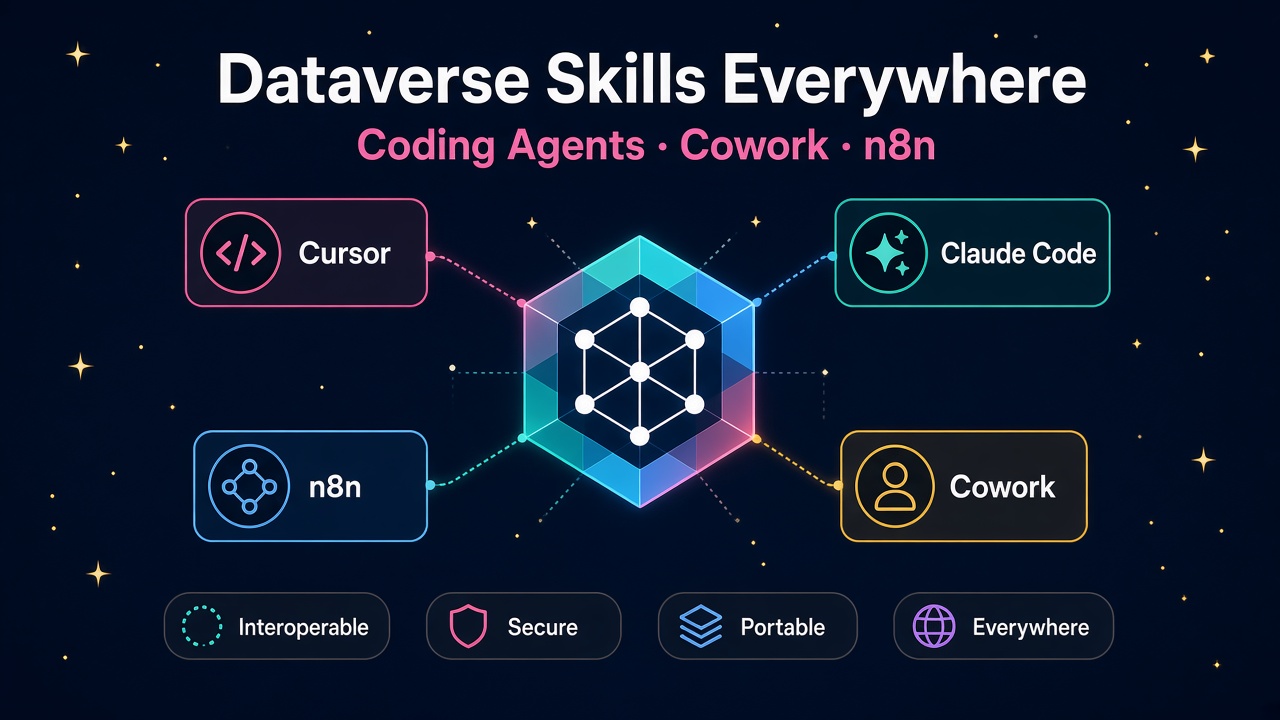
Microsoft put the same open-source Dataverse skills into Claude Code, Cursor, Copilot, Cowork and n8n. What that shift means for D365 careers.
Microsoft just put the same open-source Dataverse skills into the tools a lot of us already live in: Claude Code, Cursor, GitHub Copilot, OpenAI Codex and ChatGPT, Gemini CLI, Google Antigravity, Copilot Cowork and n8n. If you build on Dynamics 365 or Power Platform for a living, that quietly changes what "Dataverse skill" means on a CV and in day-to-day consulting work.
The source is Suyash Kshirsagar's 2 November 2026 Power Platform blog, "Dataverse goes where you build: Copilot Cowork, coding agents and n8n". The short version: wherever developers and makers already build, Microsoft wants Dataverse sitting underneath with the same skills and the same guardrails. July already expanded the plugin to Claude, Cursor and GitHub Copilot. This update brings the full picture together, including Copilot Cowork and a native n8n node.
I have spent decades in recruitment tech watching platform skills go from niche to table stakes. This is one of those moments. The consultants who can drive Dataverse from a coding agent, an automation canvas and a conversational app builder will look sharper than people who only know Maker portals.
Why this matters more than another connector
Dataverse already holds the records, relationships and rules that run the business. It is baked into Power Apps, Power Automate, Copilot Studio and Dynamics 365. Agents and automations are only as good as the context they work with. Microsoft's point in the blog is blunt: every surface that can reach trusted Dataverse data is one less reason to copy that data somewhere else.
That sits alongside the Work IQ direction from PPCC 2026, where agents are meant to understand business context rather than just fire API calls. Different angle, same destination. Work IQ is about agents that know the business. Coding-agent plugins and the n8n node are about meeting developers in the tools they already use. You need both stories on your radar if you sell D365 work in 2027.
For careers, the practical shift is this: "I can model tables in Power Apps" is still valuable. "I can install the open-source Dataverse skills into my coding agent, govern the session, model solutions, and wire the same data into n8n workflows" is what partners and employers will start screening for.
Where Dataverse runs today
According to Microsoft, each of these installs the same open-source Dataverse skills. Full instructions live in the Dataverse-skills repository on GitHub.
| Platform | How it shows up | How to get it |
|---|---|---|
| Copilot Cowork | Dataverse plugin | Customize → Microsoft Dataverse → Connect |
| GitHub Copilot | Dataverse plugin | /plugin install dataverse@awesome-copilot |
| Claude Code | Dataverse plugin | /plugin install dataverse@claude-plugins-official |
| OpenAI Codex and ChatGPT | Dataverse plugin | Plugin directory search, or codex plugin add dataverse@openai-curated |
| Cursor | Dataverse plugin | /add-plugin dataverse, or Settings → Plugins → Marketplace |
| Gemini CLI | Dataverse extension | Install from github.com/microsoft/Dataverse-skills, then set DATAVERSE_URL |
| Google Antigravity | Dataverse plugin | Install from the repo's .github/plugins/dataverse path |
| n8n | Built-in Microsoft Dataverse node | Add the node to any workflow |
For any other agent that reads local skills, Microsoft documents a universal install: npx skills add microsoft/Dataverse-skills -s "*".
You do not need to pick a favourite vendor. Name the tools you actually use, install the skills there, and get productive. Neutrality is the point: Microsoft is meeting you wherever you already build.
Copilot Cowork: governed apps from a prompt
The Dataverse plugin in Copilot Cowork is the maker-facing face of the same skills. You describe an app in plain language. Cowork designs the tables and relationships, reuses existing tables such as Contact, seeds sample data, then builds and publishes a working app in Microsoft Copilot Managed Runtime (preview).
Governance is not bolted on afterwards:
- Every change arrives as an approval card first
- Every action runs with your own permissions
- Dataverse authorises requests server-side, so the plugin cannot exceed what your security roles allow
- Tables created are ordinary Dataverse tables, ready for the security roles, solutions and lifecycle practices your team already uses
The companion 28 October Cowork post walks through an event registration demo: Event and Event Registration tables, reuse of Contact, waitlist logic when capacity fills, sample rows marked as sample data, then a published app with Organizer and Check-in views. Before building, Cowork asked for the right environment when the default had no Dataverse database, instead of guessing. Building apps in Cowork currently requires enrollment in the Frontier program, and a Power Apps Developer Plan environment is a sensible place to try it.
If you sell discovery workshops, this is a new demo pattern: prompt → approval cards → governed Dataverse app, without pretending governance disappeared.
n8n: a native Dataverse node
n8n is where many developers connect apps, APIs and AI agents into workflows. Dataverse is now a built-in node, so you are not writing custom HTTP plumbing for every read and write.
Microsoft's demo pattern is the one I expect to see in partner proposals for years: leads arrive from a web form, WhatsApp, Telegram or Facebook; an AI step extracts the details; one Dataverse node checks for an existing lead; a second creates the lead if it is not there. Read trusted context, act, write the result back. All inside the automation platform the team already uses.
The n8n Microsoft Dataverse docs confirm the node can create, update, upsert (create or update), get, get many and delete rows in standard and custom tables through the Dataverse Web API. Get Many supports column selection, OData filters, sorting, expand and FetchXML. Table and column pickers load from your environment's metadata. The Microsoft Dataverse OAuth2 credential supports both delegated user access and app-only access.
That combination matters for consulting offers. Delegated access for interactive maker workflows. App-only for unattended production jobs. Same node, different credential mode, clear story for security reviews.
The specialist skills under the hood
Every coding-agent integration is built from the same open-source skills, so the experience stays consistent wherever you work. A connect skill handles one-time setup and authentication. Specialist skills then cover:
- Querying records and bulk data import
- Data modelling for tables, columns, relationships, forms and views
- Solution lifecycle
- Security roles and access
- Environment administration
- Finance and Operations X++ development and deployment
An overview skill routes each request to the right specialist. Behind the scenes, the plugin picks the tool for the job: Dataverse MCP server, Dataverse CLI, Python SDK or PAC CLI.
That list is almost a job description on its own. If you are updating a LinkedIn headline or a partner capability statement this month, map your proof points against those six specialist areas. Hiring managers will.
Guardrails that travel with the skills
Microsoft is explicit about the security model, and you should be too when you talk to clients:
- Least privilege: the plugin cannot exceed the permissions of the signed-in user
- Server-side authorisation: Dataverse authorises every API call
- Credential handling: credentials stay in the operating system's secure store or in memory
- Telemetry: application-level metadata only; prompts, tool arguments and record data are excluded
That is the answer to the first question every security architect will ask. Put it in the proposal before they ask.
What this does to D365 and Power Platform careers
Functional consultants and makers who can sit in Cowork, describe a real process, review approval cards, and ship a governed Dataverse app will close discovery work faster. The skill is not "prompting". It is knowing enough Dataverse modelling to catch a bad relationship before you approve it.
Developers who install the skills into Claude Code, Cursor, GitHub Copilot or Codex, then use them for querying, modelling, solutions and X++ where relevant, will ship ALM work with less context-switching. The universal npx skills add path also means you are not locked to one IDE fad.
Automation specialists who know the n8n Dataverse node (OData, FetchXML, delegated vs app-only) suddenly sit between Power Automate and the wider automation ecosystem. Clients who already standardised on n8n no longer need a custom Dataverse connector story.
Administrators and solution architects own the environment, security role and least-privilege narrative. If your coding-agent session can only do what your account can do, your job is still to design the roles correctly. Agents do not fix bad security models; they scale them.
Partners and ISVs get a productised offer: "Dataverse skills enablement pack". Install on the client's preferred agents, document the guardrails, deliver one Cowork app demo and one n8n lead or case workflow, leave a runbook. List that offer on our vendors directory once you can deliver it. Related catalogue items sit on products.
People hiring should look for candidates who have shipped Dataverse solutions and can show an agent or n8n workflow hitting the same environment. Our jobs board and salary data already reward Power Platform and Dataverse fluency; agent-plugin literacy is the next filter. If you are building a 2027 delivery team, post the role with "Dataverse skills", "coding agents" or "n8n Dataverse" in the brief.
A realistic two-week practice plan
You do not need a production tenant to start.
- Day 1-2: Read the 2 Nov blog and skim the Dataverse-skills repo. Write the six specialist skills in your own words.
- Day 3-4: Install the plugin into one coding agent you already use (Claude Code, Cursor, GitHub Copilot, Codex, Gemini CLI or Antigravity). Connect to a developer environment. Run a simple query and a read-only metadata look.
- Day 5-6: Ask the agent to propose a small data model (for example a simple case note or event registration), review every change, and refuse anything that invents a duplicate Contact table.
- Day 7-8: In Copilot Cowork (if you have Frontier access), connect Dataverse, describe a tiny app, approve each card, and publish to Copilot Managed Runtime in a safe environment.
- Day 9-10: In n8n, add the Microsoft Dataverse node. Practise Get Many with an OData filter, then a create-or-update (upsert) against a test table. Try both delegated and app-only credentials in a sandbox.
- Day 11-12: Document least privilege, approval cards and telemetry exclusions for your sales or security team. Add one concrete bullet to your CV or partner pitch.
- Day 13-14: Package a short enablement demo, scan jobs and salaries for roles that mention Dataverse or Power Platform AI, and decide whether you list the offer on vendors.
What to do next
- Install the open-source Dataverse skills into at least one coding agent you already use, and connect a developer environment.
- If you have Copilot Cowork Frontier access, run one governed app prompt end to end and keep every approval card.
- Add the n8n Microsoft Dataverse node to a sandbox workflow and practise OData Get Many plus upsert with the right OAuth2 mode.
- Put least privilege, server-side authorisation and telemetry exclusions into your next client security FAQ before they ask.
- Browse Dataverse and Power Platform roles, check pay on salaries, list delivery capability on vendors, explore related products, or hire people who already speak this stack.
The tools moved to where developers already work. The people who meet them there will own the next wave of Dataverse delivery.