Copilot Studio Agent Accounts: The New Skill for D365 Pros
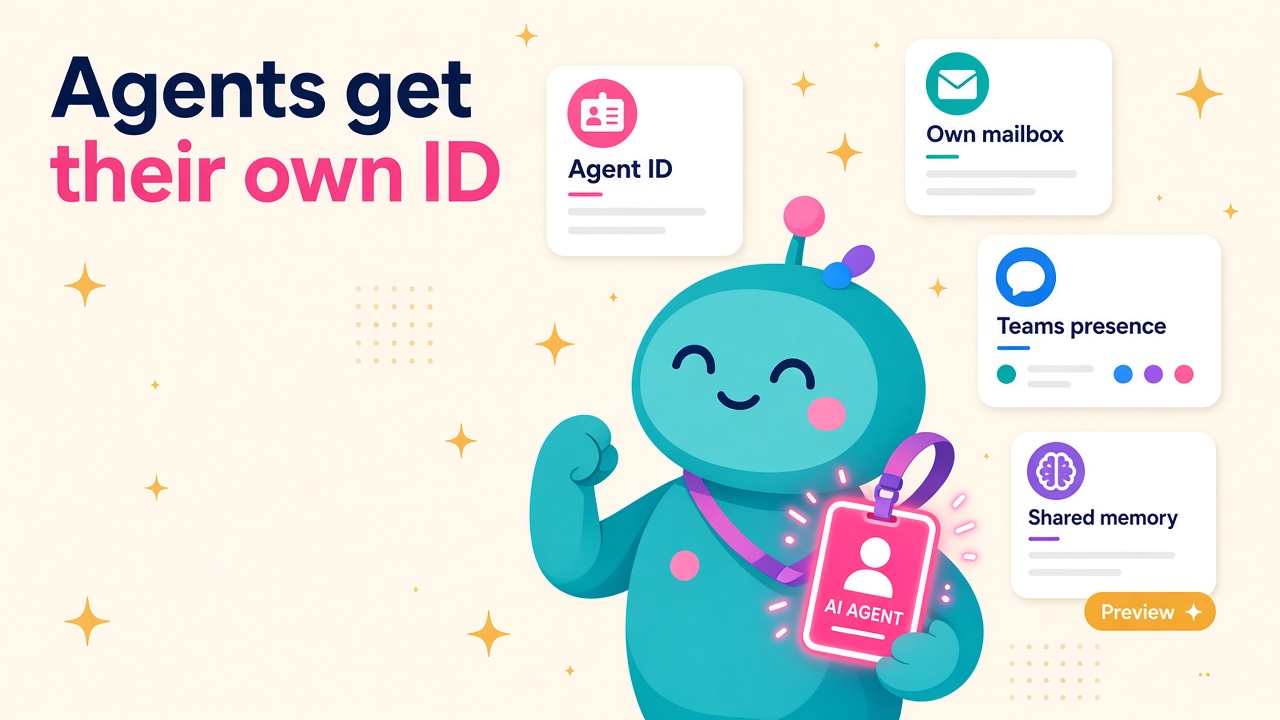
Copilot Studio agents now get their own Entra ID, mailbox and memory. What the October preview means for D365 consultants and how to get ahead this month.
On 15 October, Microsoft quietly changed the job description of a lot of Dynamics 365 and Power Platform people. Not with a new module or a licence price rise, but with a short post from Jason Moore, Vice President of Product for Copilot Studio, announcing agent accounts, business process memory and triggers.
Put simply, a Copilot Studio agent can now have its own identity at work. Its own Microsoft Entra ID, its own mailbox, its own presence in Teams and the directory. You can email it, @mention it in a Word comment and hand it a task the same way you'd hand one to a colleague.
I've spent a long time watching technology change how people work, and this one feels different. For years we've talked about AI as a tool you pick up. This is the first time Microsoft has shipped something that behaves like a new starter you have to onboard. And onboarding a new starter properly is a skill most D365 consultants already have.
What did Microsoft actually announce?
The announcement covers three connected features, all rolling out through Microsoft's Frontier preview programme.
Agent accounts
According to Microsoft, agent accounts let agents "work in Microsoft 365 with their own credentials, similar to how any person would." People can invoke the agent in Teams and Outlook, @mention it in comments in Word, Excel and PowerPoint, or delegate a task by email and get on with their day while the agent keeps working between interactions.
The bit I like most is attribution. Because the agent uses its own approved credentials and scoped permissions, rather than borrowing a user's or maker's login, its actions are recorded as the agent's. Process owners can see which steps were taken by people and which by agents. Anyone who has ever tried to untangle an audit trail where a service account did everything will appreciate that.
Admins get controls to scope access and manage the lifecycle of these agents, and Microsoft says more access policies, quality, cost management and lifecycle controls are planned "in the coming months".
Business process memory
This is shared memory for the agent. In Microsoft's words, "any idiosyncrasy of the business process that one person raises to the agent then becomes a shared resource for everyone else to benefit from." Explain once that a particular customer always needs a PO number on the invoice, and the agent remembers it for the whole team.
Triggers
Triggers in the GitHub Copilot harness let an agent stay "always on". An external signal like an email, or a set cadence like every Tuesday morning, starts the agent's cycle with no prompt needed. Microsoft also mentions an upcoming ability for agents to use their own browser-enabled cloud computer, and planned "agent refinements" that will suggest improvements to makers, such as turning stable repeated steps into workflows or picking a model better suited to the task.
Microsoft's illustrative example is a budget agent that prepares the weekly finance review each Tuesday, gathers planning records, chases budget owners for explanations and hands a summary to the finance team, who still make the decisions. It also names a real early customer: Ooredoo Qatar, which has built an agent in Copilot Studio that reviews incoming business-case proposals across Outlook, Teams and Word and prepares decision-ready briefs for executives.
On the same day, Microsoft also made evaluation for automation flows in Copilot Studio generally available. It lets you test automation quality with the same structured approach used for agent evaluations, instead of relying on manual testing and trace inspection. Less glamorous, but every bit as useful.
Why should a D365 professional care?
Because Dynamics 365 is where most of these business processes actually live.
The budget review, the month-end close checklist, the overdue quote follow-up, the field service job that needs parts ordered: these are processes D365 consultants design, configure and support every day. Until now, an agent had to work through a person's session or a maker's credentials, which made it awkward to give it a proper, ongoing role in a team process. An agent with its own account changes that.
Put this next to the other news from October and the direction is clear. Microsoft released 30 pre-built CRM skills for Copilot on 8 October, and the Dynamics 365 CX MCP Server for Sales went generally available on 29 October with 59 governed tools. We covered what that means in our post on headless CRM. The tools for agents to act on Dynamics 365 data are arriving fast. Agent accounts give those agents a seat at the table.
I'm genuinely excited about this. The best D365 people I've worked with were never really "configurers". They understood how a business runs and made the system fit. That skill is about to become far more valuable, because somebody has to design the agent's job, its permissions and its escalation points.
Which roles get more interesting?
Functional consultants become agent onboarders
Think about what you'd do with a sharp new hire on a finance team. You'd explain the process, the exceptions, who to ask, what never to do and when to escalate. That's exactly what writing good agent instructions looks like. Consultants who can document a process clearly, including the messy edge cases, will be the ones clients trust to set these agents up.
Solution architects own identity and permissions
An agent with its own Entra identity needs a security design like any other user. Which Dataverse tables can it read? Can it post journals or only draft them? Which mailbox does it watch? Architects who already think in security roles, business units and least privilege are in a great spot.
Admins and governance people get a new estate to run
Licences assigned per agent, lifecycle management, monitoring which actions agents took. This is the kind of work Power Platform admins and Centre of Excellence teams already do for apps and flows. It's now extending to digital teammates.
Testers get a real toolset
With evaluation for automation flows now GA, testing AI-driven automation is becoming a structured discipline rather than a few people clicking through a demo. If you're a D365 tester, learning how evaluations work in Copilot Studio is a smart move this quarter.
The fine print you need to know
I'm optimistic, but let's be realistic about where this is today.
It's a preview. Agent accounts and business process memory are in the Frontier preview programme, and the Microsoft Learn documentation is marked as prerelease and subject to change. Don't promise a client production dates built on it yet.
The prerequisites are real. According to Microsoft Learn, you need an environment on the early release cycle, an admin who has activated the Copilot Studio (Frontier) agent template in the Microsoft 365 admin centre and turned on agent accounts in the Power Platform admin centre, and a maker licence of either Microsoft 365 E5 with the Microsoft Agent 365 add-on or Microsoft 365 E7. The tenant must be enrolled in the Frontier programme, and each published agent uses a Microsoft 365 Frontier for AI Teammates licence. In the European Economic Area, where Teams is licensed separately, an agent only shows up in Teams if the tenant has Teams licences.
Shared memory needs careful thought. This is the part I'd want every consultant to read twice. The agent accounts FAQ says shared memory "has no privacy boundary between users". The agent's own notice warns that files or chats you share "can be summarized and included in the agent's responses to any user, even users without permissions to the files or chats and regardless of sensitivity label." In this preview, end users can't opt out, and admins can't switch shared memory off without turning off agent accounts altogether.
There are sensible safeguards. Shared memory is designed to exclude things like passwords and tokens, personal ID and card numbers, health information, protected characteristics and judgements about anyone's performance. Anyone who works with the agent can view or delete its saved memories, and if nobody interacts with the agent for 28 days, its shared memories are deleted automatically.
For a D365 project, that means scoping matters. An agent supporting a sales team's quote follow-ups is a very different risk to one sitting in an HR or payroll process. Good consultants will help clients pick the right first process rather than the most impressive one.
How to get ahead this month
You don't need a Frontier tenant to start building the skills. Here's what I'd do:
- Read the Give your agent an account page end to end, including the limitations section. Knowing what it can't do yet is half the value you bring to a client.
- Pick one recurring process you know well, such as a weekly overdue invoices review in Business Central or a pipeline hygiene check in D365 Sales. Write it up as if briefing a new starter: trigger, steps, data needed, exceptions, escalation points and what the agent must never do.
- Sketch the security design for that agent. Which tables, which privileges, which mailbox, who owns it and who reviews its work.
- Learn Copilot Studio evaluations. Build a small set of test cases for an existing agent or flow and see how the evaluation results compare with your manual testing.
- If you already use agents in your own life, whether that's Copilot, Claude, OpenAI's tools or Grok Bot, notice how you brief them and correct them. The habits transfer directly.
- If your employer or a friendly client is in the Frontier programme, offer to run a small pilot on a low-risk internal process. Real experience of one agent with an account will set you apart in interviews for a while.
If you're a partner or employer, now is a good time to ask which of your people already think in processes, permissions and testing. They're your future agent team leads, and growing them will be quicker than waiting for a job title that doesn't exist yet.
What does this mean for jobs and pay?
It's far too early for salary data on "agent account" skills, and I won't invent any. What I'd watch is the wording in job ads over the next six months. Look for Copilot Studio, Agent 365, agent governance and evaluations appearing alongside the usual D365 module requirements. When that happens, the people who started learning in October will have a head start. Keep an eye on our salary pages and the jobs board as the market catches up.
What to do next
- Browse current Dynamics 365 jobs and count how many already mention Copilot Studio or agents.
- Check your rate or salary against our D365 salary data.
- If you're a consultant building these skills, add yourself to the consultant directory so employers can find you.
- Hiring for agent-ready skills? Start on our employer page and describe the skills you need, not just the title.
- Looking for tools that work alongside Dynamics 365? Browse the products and vendors listings.
Pick one process you know inside out and write the new starter brief for it this week. It's the most useful hour you'll spend on your career this month.