Headless CRM: What the D365 Sales MCP Server Means for You
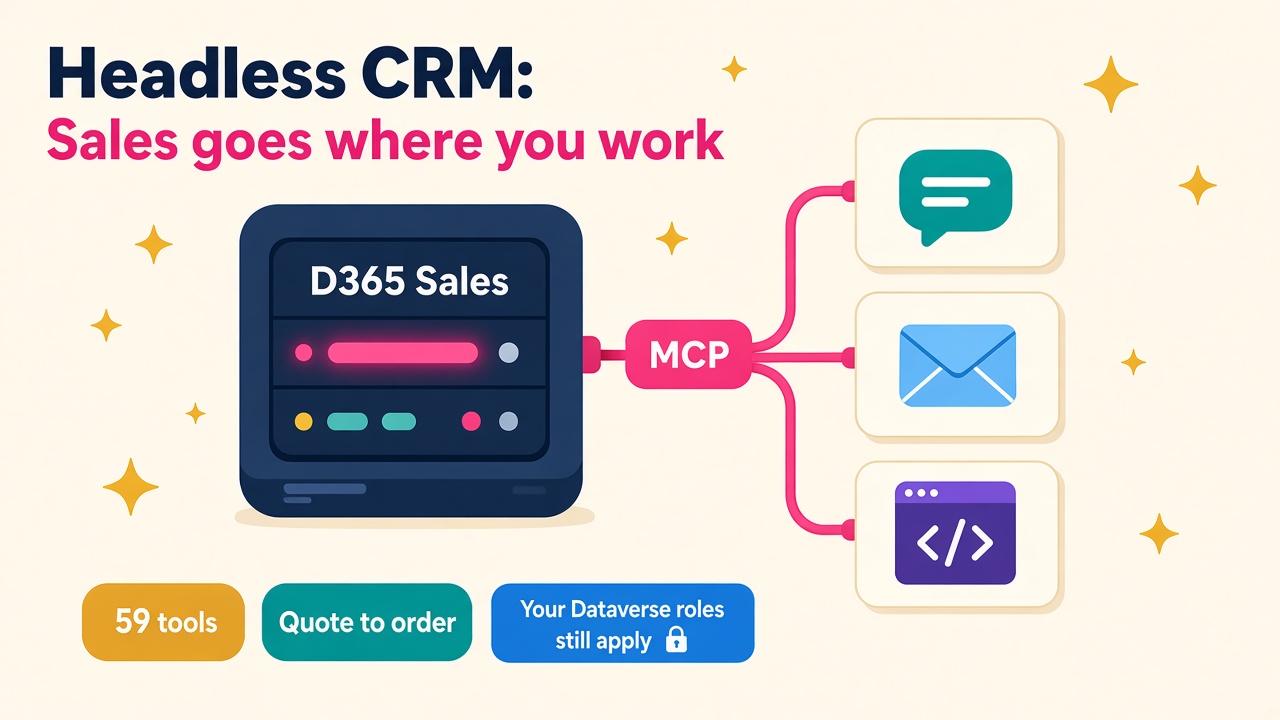
Dynamics 365 Sales now has a generally available MCP server with 59 tools. What headless CRM means for D365 consultants, developers and hiring.
For twenty-odd years the CRM has been a destination. You open it, you click through to the opportunity, you update the fields, you close it again and get back to the work that actually wins deals. Every Dynamics 365 Sales project has spent a fair chunk of its budget trying to get sellers to do that more often.
On 29 October Microsoft announced that the Dynamics 365 CX MCP Server for Sales is generally available, and the phrase it used is the one worth paying attention to: headless CRM. The data, the business rules and the security stay in Dynamics 365 Sales. The screen becomes optional. Sellers, and the agents working for them, can reach the CRM from chat, email, a coding tool or a custom agent without ever opening a form.
I think this is one of the more important D365 announcements of the year, and it is great news for anyone who builds, configures or supports Dynamics 365 Sales. Here is what it is, what it is not, and how to get ahead of it.
What did Microsoft actually release?
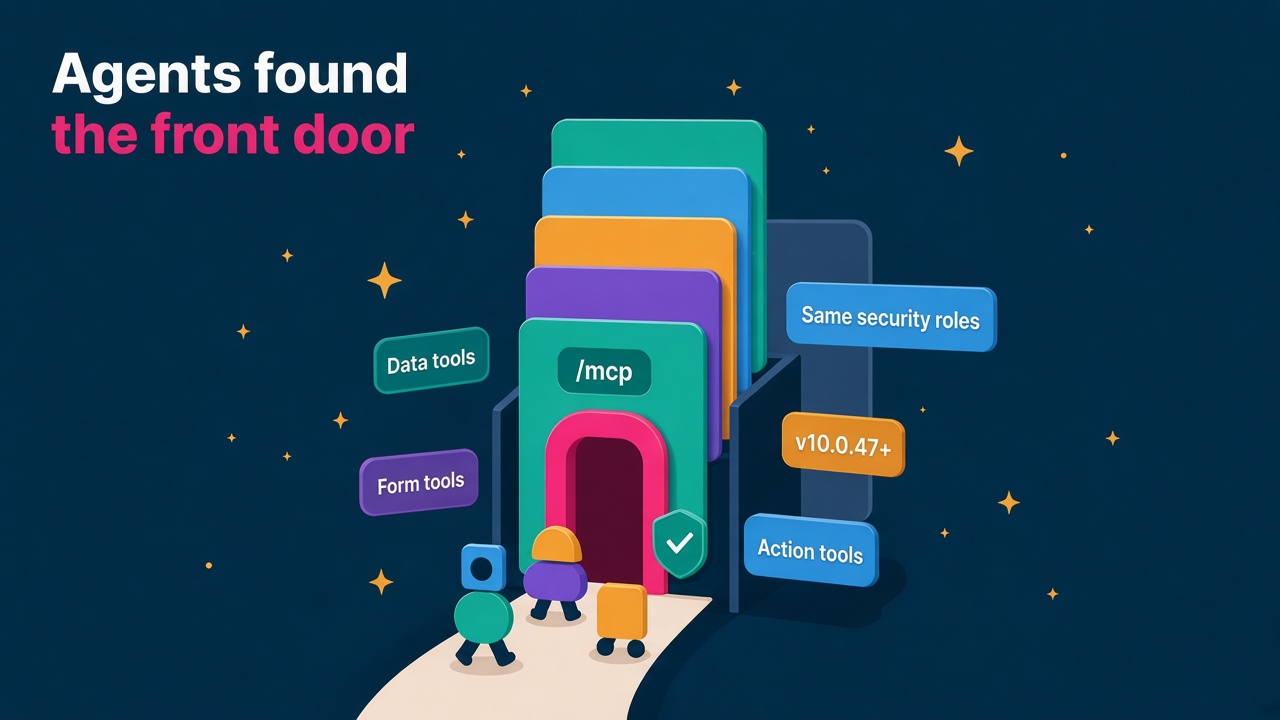
The short version is a Microsoft-hosted server that exposes Dynamics 365 Sales as a set of governed tools that AI agents can discover and use. It speaks MCP (Model Context Protocol), the open standard most AI tools now use to plug into business systems.
At general availability there are 59 tools, grouped into six areas:
- Opportunity management: retrieve summaries, manage stakeholders and competitors, update, advance stages, close, reopen and clone.
- Accounts and contacts: retrieve and maintain records, relationships and stakeholders.
- Lead management: retrieve, update, search, qualify, disqualify and assign.
- Activities and email: review timelines, create and complete activities and notes, draft and send email, schedule meetings.
- Product and pricing: find products and price lists, manage product lines and recalculate pricing.
- Quote and order management: create quotes from opportunities, revise or activate them, and convert them to orders.
Microsoft's own example is a quote-to-order request. An agent retrieves the opportunity, finds the products and the price list, recalculates pricing, creates the quote and converts it to an order, all as a chain of tool calls, with the user's Dataverse roles and permissions deciding what it is allowed to touch.
Microsoft lists Copilot Studio, Cowork, Sales Agent, GitHub Copilot CLI and Visual Studio Code as places to use it, plus any other MCP-compatible client. There is a matching CX MCP Server for Customer Service documented on Microsoft Learn too, so Sales is not a one-off.
How is this different from the CRM skills news earlier this month?
Fair question, because October has been busy. On 8 October Microsoft announced 30 pre-built CRM skills for Copilot Cowork, which we covered in D365 CRM Skills in Copilot.
Microsoft explains the relationship with a cooking analogy I actually quite like. Tools are the ingredients and skills are the recipes. Each tool does one governed action, like qualifying a lead or recalculating a price. A skill combines several tools with instructions to do a whole job, like preparing for a customer call.
The skills announcement was about Microsoft's own recipes. This one hands the ingredients to everyone else. Partners, ISVs and in-house teams can now build their own skills for their own sales motion on the same governed foundation, without writing and maintaining a bespoke integration every time.
It is also the CRM sibling of the ERP news. If you read our piece on the Dynamics 365 ERP MCP server, the pattern will feel familiar. Microsoft is putting an MCP front door on every major D365 workload, and that is a strategy, not a coincidence.
Why "headless" is a big deal
Headless is a term borrowed from e-commerce and content management. A headless system keeps the engine and lets any front end sit on top of it. For CRM, it means a seller might never see a Dynamics 365 form, yet every quote they raise still respects your price lists, your business rules and your security model.
That solves the oldest problem in CRM. Data quality has always depended on people being bothered to open the system. If an agent can log the call, update the stage and draft the follow-up from wherever the seller already is, the record gets updated because it is easier than not updating it.
For the people who build these systems, it changes where the value sits. The forms, views and dashboards still exist, but more of the real work moves into three places:
- The data model and business logic that every agent will now lean on. Sloppy configuration used to annoy users. Now it confuses agents at scale.
- Security roles, because the server respects existing Dataverse permissions. If your roles are a mess, an agent will expose that mess very quickly.
- The skills and agents that turn 59 generic tools into something that matches how a particular business sells.
None of that is less work for D365 people. It is more interesting work, and it sits closer to revenue.
What does it take to set up?
This is where I would encourage anyone technical to get their hands dirty, because the setup is where clients will need help.
According to the Microsoft Learn setup guide, clients connect through the Agent 365 Tooling Gateway, a Microsoft-hosted gateway that sits in front of the Sales MCP server and handles authentication to Dataverse through Microsoft Entra ID. A few details are worth knowing cold:
- You need the System Administrator role to configure the server, plus tenant admin or delegated admin consent.
- Consent has to be granted in advance by an admin. The scope does not support incremental user consent.
- The scope is specific to each environment and server, so every environment needs its own connector configuration. Dev, test and production are three separate set-ups.
- Discovery-capable clients can read the OAuth settings automatically, but Microsoft notes that Copilot Studio custom connector setup might need them entered by hand.
There is also a cost question worth raising early. Microsoft's Dataverse MCP documentation says that since 15 December 2025, Dataverse MCP tools are charged when used by agents built outside Copilot Studio, unless the user has a Dynamics 365 Premium licence or a Microsoft 365 Copilot licence. That page covers the general Dataverse MCP server rather than the Sales server specifically, so check the licensing for your scenario before you promise anyone a number. Being the person who asks that question first is a good look.
Who benefits, and where is the hiring?
The partner market is already voting with its wallet. In October, UK Microsoft partner mhance completed the acquisitions of CPS and City Dynamics, adding about 180 people. CPS was a worldwide finalist for Microsoft's 2025 Copilot and Agent Partner of the Year, and mhance's CEO described the aim as supporting customers "from their core systems through to measurable AI outcomes". That is exactly the gap headless CRM opens up: core D365 skills plus agent skills in one team.
Here is where I would expect demand to grow over the next year:
- D365 Sales functional consultants who can describe a sales process clearly enough for an agent to follow, such as stage criteria, qualification rules and pricing exceptions.
- Power Platform and Copilot Studio developers who can compose the 59 tools into custom agents and skills.
- Dataverse security specialists, because tidy roles are now a prerequisite for safe agents.
- Integration and identity people comfortable with Entra ID, OAuth and admin consent, which is where a lot of first projects will stall.
- Solution architects who can decide which jobs belong in an agent, which belong in the classic UI and which should not be automated at all.
- Pro developers who already live in Visual Studio Code or GitHub Copilot and can now work with Sales data straight from their tools.
You can see how these skills are showing up in live ads on the D365 jobs board, and check where Sales and Power Platform pay sits on the salaries page.
The realistic caveats
I am glass-half-full on this, but a few things are worth saying plainly.
- GA is the server, not every experience around it. Some of the surfaces you might connect, such as Autopilot, are still in preview. Be precise with clients about what is production-ready.
- Agents act with real permissions. An agent that can close an opportunity or send an email needs the same care as a new starter with the same access. Test plans need agent scenarios, not just user ones.
- Per-environment set-up adds admin work. Plan it into the project, especially for clients with several environments.
- The cost model needs explaining. Copilot licences, Dynamics 365 licences and usage-based charges can all be in play. Someone has to put it in plain English.
None of that is a reason to wait. It is a reason to learn it properly now, while most people are still reading the headlines.
What to do next
If you work in D365 Sales, here is a practical plan you can start this weekend:
- Read the Sales MCP Server announcement and the setup guide end to end, and make a one-page note of the auth steps.
- If you have a sandbox, connect it to an MCP client you already use, whether that is Copilot Studio, Visual Studio Code or a general assistant like Grok Bot, Claude or ChatGPT where your organisation allows it. Ask it to prepare a call brief from demo data and see which tools it reaches for.
- Try the quote-to-order chain on a demo opportunity and note where data quality or pricing setup trips it up. That list is your client checklist.
- Review the security roles on one environment you know well and ask whether you would trust an agent with them.
- Write one custom skill for a real job, such as weekly pipeline review, and keep it as a portfolio piece.
- Once you have real hands-on experience, add it to your CV and LinkedIn. If you are independent, list it in the consultants directory.
If you hire or run a practice, pick one client already licensed for Copilot and offer a fixed-scope pilot around a single sales job. Then hire for the blend of D365 Sales, Copilot Studio and Dataverse security rather than waiting for a perfect CV. The employers page has more on finding D365 talent, and it is worth keeping an eye on products and vendors as ISVs start shipping skills on top of this.
The CRM is leaving the building and going wherever sellers work. The people who understand how it works underneath are about to be in very good demand.