Sales Development Agent: The D365 Sales Skill to Learn Now
Microsoft's Sales Development Agent puts an autonomous SDR into D365 Sales. Here's the setup, governance and playbook work it creates, and how to get ahead.
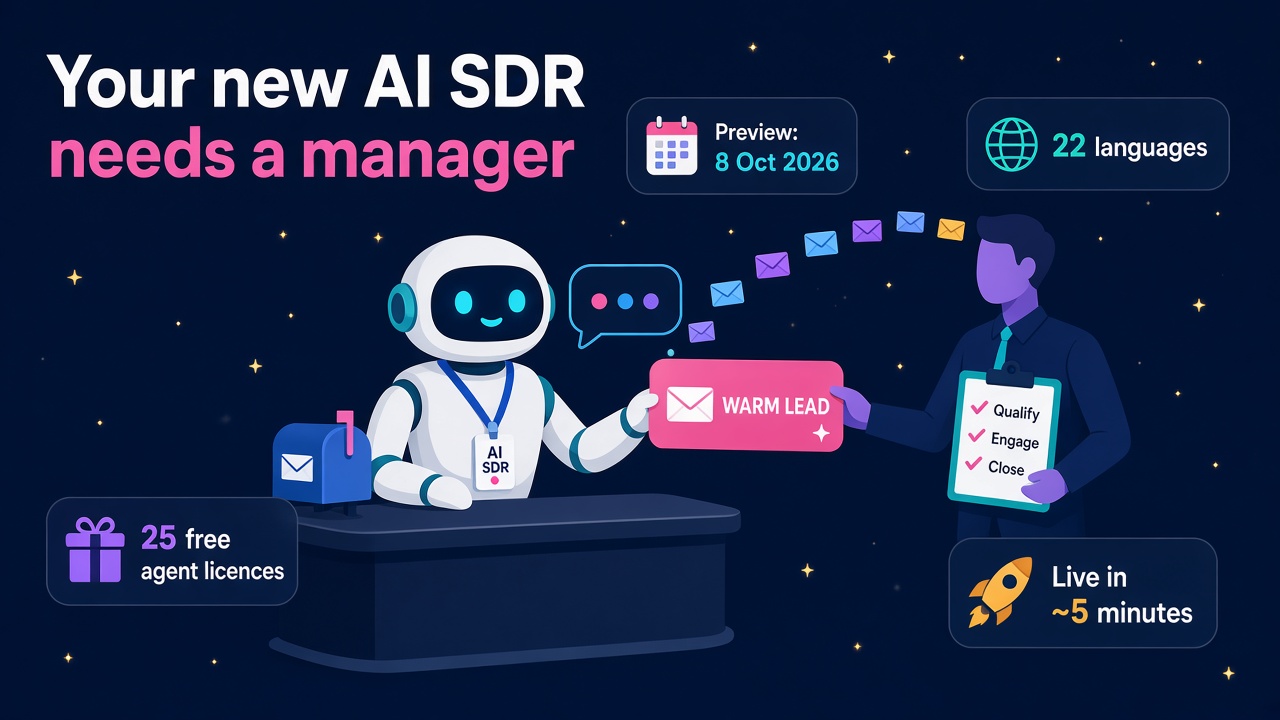
Microsoft has quietly handed every Dynamics 365 Sales team a new kind of colleague. The Sales Development Agent (SDA to its friends) is an autonomous AI teammate that researches accounts, runs multi-touch email cadences, qualifies replies and hands warm leads to human sellers. It went into public preview on 8 October 2026, and on 3 November Microsoft published its enterprise setup best practices, which is usually the signal that customers are asking "how do we actually roll this out?"
I think this is one of the most interesting things to land in the Dynamics world this year, and not because it replaces anyone. It creates a brand new set of jobs around configuring, governing, measuring and improving a digital sales team. If you work in D365 Sales, CRM admin, Power Platform or sales operations, this is your patch, and the people who learn it in the next few months will be the ones every partner wants on their bench in 2027.
What exactly is the Sales Development Agent?
According to Microsoft, SDA is "an autonomous AI teammate purpose-built for outbound pipeline generation within the Microsoft 365 and Copilot ecosystems". It is available through the Microsoft Frontier public preview, and the Partner Center October 2026 announcements list it in public preview from 8 October 2026, alongside Sales and Service skills and the new Service Agent.
The detail that matters most is that it is not a feature inside a form. Each instance is provisioned as its own worker. When you create an instance, Microsoft builds a dedicated Microsoft Entra agent identity, plus a Teams account, an Exchange mailbox, OneDrive and SharePoint. Provisioning typically takes about five minutes. You then manage it in Teams, much like you would a new SDR who sits in your team chat.
Here is what it can do out of the box, straight from Microsoft's setup guide:
- Multi-touch outreach through Exchange Online, time-zone aware, with configurable business hours and sending throttles.
- 22 supported languages, detected from the lead record, and it adapts if a prospect replies in a different language.
- Lead qualification using BANT or your own criteria, then packaging a structured handoff dossier for the seller.
- A zero-CRM mode for quick pilots using validated CSV or Excel files.
- CRM integration via MCP with both Dynamics 365 Sales and Salesforce, so it can log touchpoints, update qualification stages and assign lead ownership.
- Compliance controls that honour unsubscribe requests, add AI transparency disclosures to outbound emails and enforce suppression lists.
- Analytics with funnels in Teams, natural-language queries and an OData feed for Power BI or your data warehouse.
Why this is bigger than another Copilot feature
Over the last month Microsoft has been building a very clear picture. On 29 October the Dynamics 365 CX MCP Server for Sales went generally available with 59 governed tools covering opportunities, leads, accounts, pricing, quotes and orders. On 15 October agent accounts arrived in Copilot Studio in private preview. Now SDA shows what a finished, governed agent built on that plumbing looks like.
Put those together and the direction is obvious. Dynamics 365 Sales is becoming a system of action that agents work inside, with humans setting the rules and taking the big conversations. Microsoft's own phrase in the SDA guide is "without linear headcount additions", which is the honest commercial pitch. A sales leader can cover more territories and more tiers without hiring a matching row of SDRs.
I know some people read that and feel nervous. I read it and see a skills gap the size of a stadium. Every one of these agents needs someone to set it up, teach it, keep it on brand, connect it to the CRM safely, watch the numbers and fix it when it drifts. That is real, billable, interesting work, and today very few people have done it.
The setup work is where the jobs are
Microsoft's activation guide and Dynamics 365 integration guide read like a project plan, and every step is a task a consultant or admin will be asked to own.
Licensing and Frontier prerequisites
You need Microsoft 365, Microsoft 365 Copilot and Teams licences. Copilot Frontier has to be enabled in the Microsoft 365 admin center, and the people creating agent instances must be enabled for Frontier features. A Global Administrator then enables the Agent 365 public preview by taking the $0 Agent 365 SKU, which includes licences for 25 agent instances.
Activation and access control
An AI Administrator or Global Administrator activates "Sales Development (Frontier)" from the agents list, chooses which users or groups can create instances and applies a policy template. Everyone can see SDA in the Agent Store, but only people with explicit access can create one. That alone is a governance conversation most organisations haven't had yet.
Connecting to Dynamics 365 Sales
The agent user needs a Dynamics 365 Sales licence, just like a human user. In the Power Platform admin center you add the agent to your Sales environment under Users + permissions > Agents (preview) and give it the Salesperson role, or a custom role with lead permissions. You enable the Dataverse MCP server for the environment, and a Global Admin or AI Admin approves the MCP server before the agent can use it.
If you have spent years doing security roles, business units and licence assignments in Dynamics, congratulations. That experience has just become more valuable, because now you are scoping access for a worker that never sleeps and sends email at scale. Least privilege stops being a nice idea and becomes the whole job.
Teaching the agent is a sales skill, not a tech skill
The part I find most exciting is how the agent is taught. Managers configure four areas in Teams:
- Playbook: how prospects move through outreach, qualification and handoff.
- Guidelines: tone, objections, escalation and handoffs.
- Product knowledge: approved documents, links and product information from SharePoint, OneDrive or the public web.
- Settings: email cadence, signature, unsubscribe wording and outreach configuration.
Playbook and guideline changes save as drafts you can test before they go live. You can run role-plays and objection handling in Teams chat, test adversarial prompts and send sample sequences to your own inbox before any customer sees a message. Microsoft flags one important catch: product knowledge changes take effect immediately, unlike playbook and guideline drafts. Anyone running this properly needs a change process for knowledge, because one wrong pricing sheet dropped in SharePoint goes straight into the agent's mouth.
This is where great sales people and great CRM people meet. The best SDA configurations will come from someone who knows what a good discovery call sounds like and also knows how the lead entity hangs together. If you have both, you are rare, and you should be telling people.
What it means for D365 careers
Here is how I see the opportunity splitting up by role.
D365 Sales functional consultants. Your new deliverable is the agent playbook. Qualification criteria, handoff rules, lead routing, stage mapping and how the dossier lands with the seller. Partners will start packaging "SDA pilot in 30 days" offers, and they will need people who can run the workshops.
CRM and Power Platform admins. Agent identities, licence assignment, Salesperson or custom roles, Dataverse MCP server enablement, Conditional Access, retention and audit. Microsoft says SDA supports organisational controls including Conditional Access, retention and auditing. Somebody has to design that and prove it to the security team.
Sales operations and RevOps. The OData feed and Teams funnels mean someone needs to build the Power BI reporting, define success metrics and decide when a pilot earns the right to scale. Microsoft's own rollout advice ends by telling you to review behaviour, consumption and business outcomes before scaling. That is a RevOps job description.
Developers. SDA is extensible through MCP, so you can bring third-party enrichment or custom business logic through your own MCP servers. If you've been building plugins and Azure Functions, MCP servers are the natural next step.
Compliance and data protection specialists. Unsubscribe handling, AI disclosure, suppression lists and outbound email rules in different countries. With 22 languages on offer, the agent can reach markets your human team never touched, and each market has its own rules.
If you want to see how these skills are being paid right now, check our salary guide and browse current D365 jobs. Roles that mention Copilot Studio, agents or MCP alongside Dynamics 365 Sales are the ones to watch.
A practical rollout pattern you can sell
Microsoft's best practice guide gives a sensible staged rollout, and it maps neatly onto a small consulting engagement:
- Establish admin ownership: identify the AI or Global Admin and who manages agents.
- Activate SDA for a limited group, not the whole company.
- Create an instance and verify its access before connecting business systems.
- Configure playbook, guidelines, product knowledge and settings.
- Test behaviour and sample outreach before launch.
- Add CRM and other integrations using least-privilege access.
- Start with one focused campaign and clear success metrics.
- Review behaviour, consumption and outcomes before scaling.
My strong advice is to start with the zero-CRM CSV mode. It lets a sales team see value in days without a single change to their Dynamics environment, and it gives you clean numbers to justify the CRM integration phase. If you're a partner, that's a lovely low-risk first engagement. If you're on the customer side, it's the easiest way to get a yes from your CIO.
Be realistic about the preview
This is still a preview feature. Microsoft's docs say preview features "aren't meant for production use and might have restricted functionality", and the overview notes it is available to customers who opt into the Microsoft 365 Targeted release programme. Licensing and pricing for general availability haven't been confirmed yet, so don't promise a client a business case built on today's $0 SKU.
Also remember that outbound email at scale lives or dies on reputation. Throttles, business hours and suppression lists are there for a reason. Treat the agent like a new starter who is brilliant but keen: tight guardrails, one campaign at a time, and a human checking the work until the numbers prove it can be trusted with more.
None of that dampens my optimism. Microsoft Ignite runs in San Francisco from 17 to 20 November 2026, and I fully expect more agent news for Sales and Service there. The people who've already got their hands dirty with SDA will be the ones who can make sense of it for everyone else.
What to do next
- Read the docs this week. Start with the SDA overview, then the activation and Dynamics 365 integration pages. They're short.
- Get a sandbox running. If your company or a friendly partner has a Frontier-enabled tenant, create an instance and try the CSV mode with a dummy campaign.
- Write a sample playbook. Draft qualification criteria, tone guidelines and a handoff rule for a real product you know. It is the best portfolio piece you can show right now.
- Learn the Dataverse MCP server. It sits under SDA, the CX MCP Server for Sales and a growing list of agents, so it pays back many times over.
- Update your profile. Add Sales Development Agent, Agent 365 and MCP to your CV and LinkedIn as you build real experience.
- Look at who is hiring. Browse D365 jobs, see which employers are building agent practices, explore Sales and Copilot products, and find partners and consultants already delivering this work.
The digital SDR has arrived, and it needs good people to manage it. Go and be one of them.