Move Data Across Regions: The Copilot Admin Deadline
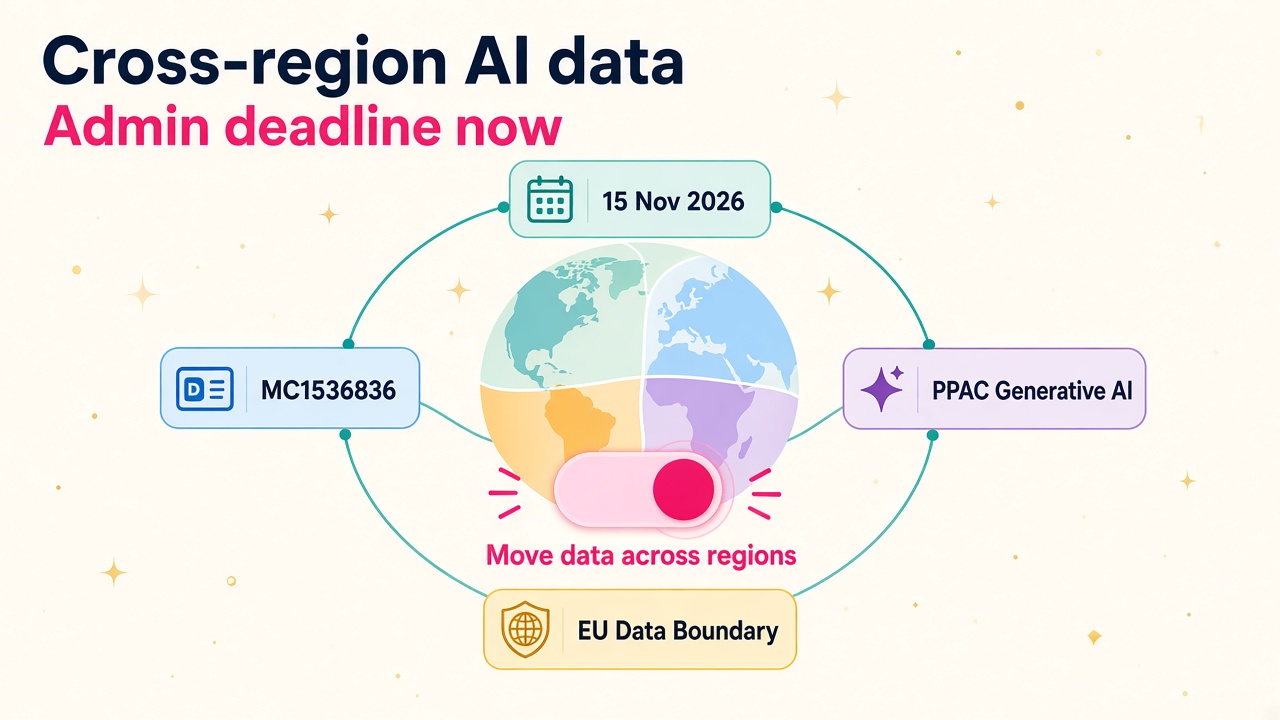
From 15 November Microsoft enforces Move data across regions for D365 and Power Platform Copilot. What admins must check, enable and explain to clients.
Microsoft Message Center post MC1536836 lands a firm date on something most Power Platform admins have been staring at for months: the Move data across regions setting. From 15 November 2026, Microsoft will enforce that existing toggle for environments that use Copilot and generative AI features needing cross-region processing. Leave it off where those features depend on it, and the features can go dark.
I think this is a good deadline. Not because anyone loves another admin checkbox, but because it forces a clear conversation about data residency, Copilot readiness and who owns the decision. Getting it right unblocks agents and Copilot for the organisation. Getting it wrong means sales, service and maker teams suddenly wonder why the AI buttons stopped working.
What MC1536836 actually says
Microsoft has identified environments in tenants that already use generative AI features requiring cross-region processing. Beginning on 15 November 2026, it will enforce the existing "Move data across regions" setting for those environments.
The action list is short:
- Open Power Platform admin center > Manage > Environments.
- Select the environment, then Generative AI features > Edit.
- Review the terms, select Move data across regions, and Save.
No further action is needed where the setting is already on. Before you flip it, Microsoft asks you to review the processing destinations and your data residency requirements. The official reference is Move data across regions for Copilots, AI agents, and generative AI features on Microsoft Learn.
Admin impact is high. User impact is low until the day a feature disappears. That is why this is an admin and consultant skill, not a helpdesk ticket after the fact.
Why the setting exists in the first place
Copilots and generative AI features are not available in every region and language at the same capacity. Even where some in-region capacity exists, prompts and results may still need to move for availability, overflow or because a feature depends on another Microsoft service. Microsoft's Learn docs are clear: when you allow data movement across regions, inputs (prompts) and outputs (results) might leave your environment's region for the location where the generative AI feature is hosted.
A few points worth knowing cold when you talk to a security or compliance lead:
- Microsoft states it does not use your data to train, retrain or improve Azure OpenAI Service foundation models.
- Moving data across regions only happens if the required model is not deployed locally, capacity is maxed out as overflow, or there is a reliability issue with the local model.
- Microsoft says it does not log, store or retain input or output data during that processing, and there is no persistence of that data.
- For Core Online Services, allowing the toggle does not change Product Terms commitments on Customer Data at rest.
- Data movement that happened while the setting was on cannot be reversed by clearing the checkbox later.
That last point matters in client conversations. Treat the enable decision as deliberate, documented and owned. Do not flip it casually in a sandbox and assume you can unwind history.
Where your prompts actually go
The Learn page publishes a region table that every serious D365 admin should be able to summarise. Here is the practical version:
- United States: Azure OpenAI stays in region. Bing Search data is stored and processed in the United States. The Move data across regions checkbox does not appear for US (or government cloud) environments with full in-region capacity.
- Europe, France, Germany, Norway, Sweden, Switzerland: Azure OpenAI stays inside the EU Data Boundary. Bing Search processing is in the United States.
- United Kingdom: Azure OpenAI can be in region or in the EU Data Boundary. Bing Search is in the United States.
- Australia and India: Azure OpenAI can be in region or the United States. Bing Search is in the United States.
- Asia and Singapore: Same pattern as Australia and India.
- Brazil, Canada, Japan, Korea, South Africa: Azure OpenAI processing is in the United States. Bing Search is in the United States.
- Government cloud (GCC, GCC High): Azure OpenAI stays in region. Bing Search is in the United States.
If your environment is in the EU Data Boundary, you may also see Allow flex routing during periods of peak load. That lets LLM inferencing (and limited pseudonymised operational data) happen outside the EU Data Boundary during peak demand so Copilot stays available. Data at rest still stays inside the boundary, apart from that limited pseudonymised set. Eligible tenants created after 25 March 2026 get flex routing on by default. Older eligible tenants should check the matching toggle in the Microsoft 365 admin center as well.
Which features depend on the toggle
Microsoft publishes a table of Copilots and generative AI features that depend on Move data across regions. When the box is selected, those features can use other-region capacity when needed. When it is cleared, no data is sent outside the region, and some features will not work depending on local capacity.
Features called out today include:
- Dynamics 365 Customer Service Copilot
- Dynamics 365 Sales Copilot
- Dynamics 365 Customer Insights Copilot (Journeys and Data)
- Microsoft Copilot Studio generative AI in copilots and agents
- Microsoft Dataverse Excel to table for new makers
- Power Apps build-apps-through-conversation and describe-a-new-table
- Power Automate designer Copilot
- Power Pages Copilot
- AI Builder AI prompts
More will arrive. Clearing the checkbox is not a master kill switch for every Copilot. Some features use other services and have their own controls. If you need something off, use the feature-dedicated control, not this residency toggle alone.
Bing search and Microsoft 365 services have their own checkboxes in the same Generative AI features pane. If Move data across regions is shown, you must enable it before you can turn those on. That matters for Copilot Studio agents that lean on Bing APIs for better grounding over your own knowledge sources, and for activity experiences powered by Microsoft 365 services.
How to review a tenant before 15 November
Here is the practical sweep I would run on any customer tenant this week.
- List every production and important sandbox environment in Power Platform admin center. Do not stop at production. Copilot Studio trials, maker sandboxes and UAT boxes are where people discover the AI is broken first.
- Open Generative AI features on each environment. Note whether Move data across regions is present, already on, or off. Note Bing search, Microsoft 365 services and flex routing while you are there.
- Map environment region to the Learn table. Write one sentence per environment: "UK production: Azure OpenAI in region or EU Data Boundary; Bing in US." Security teams love a one-pager.
- Inventory which Copilot and agent features are live or planned. Sales Copilot, Customer Service Copilot, Copilot Studio agents, Power Automate Copilot, AI Builder prompts and conversational app building are the usual suspects.
- Check compliance and residency commitments. Contracts, DPIAs, customer promises and industry rules may constrain cross-region processing even when Microsoft's toggle allows it. Capture the decision and the owner.
- Decide per environment, then document. Enable where Copilot is required and residency allows it. Leave it off only where that is an explicit, accepted trade-off, and tell the business which features will stay limited.
- Scale with environment group rules where you can. Microsoft's FAQ on the Learn page says you can use the Generative AI settings environment rule to control the setting at scale across member environments. Published rules lock the setting so local admins cannot quietly change it. That is the grown-up answer for tenants with dozens of environments.
You do not need a six-week programme. You need a spreadsheet, a residency call with the right stakeholders, and an hour in the admin center per wave of environments.
How consultants should talk to clients
This is where the career value sits. Plenty of people can find a checkbox. Fewer people can walk a CIO, a DPO and a sales leader through the same decision without panic.
Lead with outcomes, not jargon. The organisation wants Copilot in Sales, agents in Customer Service and makers building with AI in Power Apps. Those features need reliable model capacity. In many regions that means allowing prompts and results to be processed where the model lives, while Customer Data at rest commitments stay in place. The alternative is leaving the setting off and accepting that some Copilot and generative AI features may become unavailable after 15 November.
Be honest about trade-offs by region. A US environment often does not even show the checkbox. An EU Data Boundary environment can keep Azure OpenAI inside the boundary and still choose whether flex routing is acceptable at peak. A Brazil, Canada, Japan, Korea or South Africa environment that needs affected features is looking at United States processing for Azure OpenAI. That is not a scare story. It is the published map, and clients deserve to see it.
Offer a fixed-scope piece of work: environment inventory, residency one-pager, recommended enablement list, change record for the security team, and a short user note for any feature that will stay limited. Partners who can productise that between now and mid-November will be busy. You can find ISVs and partners working in this space through the vendors and products directories, and permanent or contract admin talent on the jobs board.
Why this is a career skill, not a chore
Every few months Microsoft turns a quiet platform setting into a dated operational event. Dataverse storage validation was one. This cross-region Copilot enforcement is another. The people who already understand residency, environment groups, Copilot Studio and Power Platform administration get pulled into the important rooms.
The skill mix is wider than "tick a box". It is:
- Reading Message Center items and translating them into a client plan
- Explaining Azure OpenAI hosting regions without hand-waving
- Using environment groups and the Generative AI settings rule so policy sticks
- Balancing Copilot availability against data residency commitments
- Writing the decision so audit and security teams can live with it
That combination shows up more and more in Power Platform administrator, Dynamics 365 solution architect and Copilot Studio specialist roles. If you want a sense of what those skills are worth, our salary data is a useful starting point. If you are hiring for it, the employers page explains how to reach the right people, and the consultant directory is there when you need experienced help quickly.
I am quite certain the organisations that treat 15 November as a Copilot readiness checkpoint, rather than a surprise outage, will be the ones still rolling out agents with confidence into 2027.
What to do next
If you administer a Dynamics 365 or Power Platform tenant, open Message Center, find MC1536836, and spend this week walking every important environment through Generative AI features. Read the geographical availability guidance end to end, build the region one-pager, and get a written enable or hold decision before 15 November 2026. Where you manage many environments, put the Generative AI settings rule on an environment group so the policy is consistent.
If you are a consultant, add this to your CV with a real tenant example: inventory completed, residency discussed, setting enabled where appropriate, features verified. Then browse the latest Dynamics 365 jobs and notice how many admin and architect roles now mention Copilot, Power Platform governance or data residency. The deadline is mid-November, and the people who can explain it calmly will be the ones clients call first.