D365 Business Process Catalog Doubles: New Work for Consultants
Microsoft's D365 business process catalog jumped to 16,323 rows with 8,259 test cases and agent governance. Here is what it means for consultants and hiring.
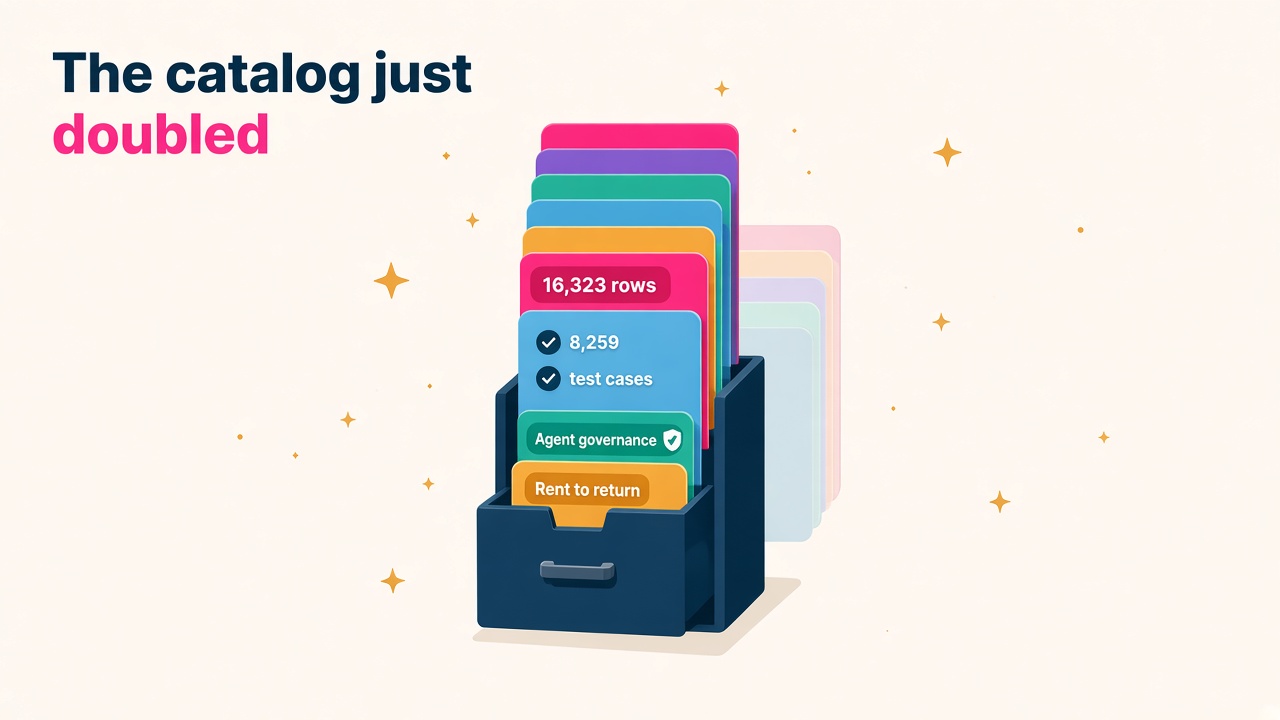
Microsoft quietly dropped one of the most useful Dynamics 365 updates of the year this month, and it did not come with a keynote. The October 2026 release of the business process catalog more than doubled in size, from 6,834 rows in July to 16,323 rows now. That is 9,489 new entries and 6,524 updated ones in a single quarter.
If you work on D365 implementations, as a functional consultant, solution architect, test lead or project manager, this matters more than most of the shiny AI announcements. I am quite certain it changes what a good implementation looks like in 2027, and who gets hired to deliver one.
What actually changed in the October catalog?
The catalog is Microsoft's standard list of business processes across Dynamics 365 apps. You can import it into Azure DevOps as a backlog template or load it into Mavim. Until now, plenty of partners treated it as a nice reference document. The October release makes that harder to justify.
Most of the growth is at the bottom of the hierarchy, where the real delivery work lives:
- System process (Level 5) rows went from 827 to 3,334, an increase of 2,507.
- Test case (Level 6) rows went from 1,628 to 8,259, an increase of 6,631.
- Scenarios (Level 4) grew by 300 to 3,892.
- A new end-to-end process, Rent to return, arrived with six process areas, 25 processes and 59 scenarios, contributed and reviewed with XAPT and CAT.
The biggest expansions are Inventory to deliver (1,582 new rows), Record to report (1,358) and Design to retire (1,258). Warehouse teams get new processes for replenishment, wave processing, shipping documents, shipment confirmation, scrapping and warehouse KPIs. Finance gets a new escheatment process plus deeper fiscal books, financial dimension and period-close detail.
There is also a new Process type field that tags each process, scenario and system process as Setup, Master data, Transactional, Analytical or Governance. It sounds dull. It is actually very handy for planning workshops and working out what has to be configured before anything else can be tested.
Why should a D365 consultant care about a spreadsheet?
Because 8,259 test cases is a head start on the most painful part of every project.
Anyone who has been through a Finance and Operations go-live knows the story. Testing gets squeezed, test scripts get written in a hurry by whoever has a spare afternoon, and user acceptance testing turns into a scramble. A catalog that links business scenarios to system setup, navigation and validation steps gives teams a starting backlog that would have taken weeks to build from scratch.
That does not make consultants less valuable. It moves the value. Less time is spent typing out "navigate to Accounts payable, click Invoices" and more time goes into fit-gap decisions, tailoring the scenarios to how a client actually runs, and making sure the right things get tested. Microsoft also updated the fit gap status on 5,911 rows and the gap solution approach on 5,880, so the defaults are a better starting point than they were.
I see this as genuinely good news for the market. Projects that start with a solid process backbone tend to go live closer to plan, and clients who go live well come back for phase two.
Agent governance is now part of the implementation
The part I find most interesting sits in Administer to operate, which gained 613 rows. New Level 3 processes cover:
- Registering and discovering agents.
- Managing agent identity and access.
- Securing and protecting agents.
- Governing agent data and compliance.
- Monitoring agent activity and performance.
- Managing the agent lifecycle.
The older "Configure and manage agents" process has been deprecated in favour of this expanded agent governance area, and Agent 365 has been added to the Products list. Environment provisioning for Dataverse, finance and operations, Business Central and Microsoft 365 is now in there too.
Put simply, Microsoft is saying that standing up and governing AI agents is a normal, plannable part of a D365 project, sitting right alongside setting up a chart of accounts. That is a big signal for careers. Somebody on every project has to own agent identity, access, monitoring and lifecycle. Right now very few people have done it more than once, which makes it a great niche to grow into.
Who wins from this?
Pretty much everyone who leans in early. A few roles stand out.
Functional consultants
You now have thousands of ready-made scenarios and test cases to adapt. The skill that gets you noticed is judgement: knowing which of the 3,892 scenarios a client actually needs, what to drop, and where the real gaps are. Consultants who can run a process-first workshop using the catalog will look far more polished than ones starting from a blank whiteboard.
Test leads and QA specialists
This is the role I expect to see more demand for. A catalog with 8,259 test cases needs people who can organise, prioritise, and eventually automate them. There is even an Automation status field in the expanded report fields. If you have testing experience on D365 and some Azure DevOps skills, keep an eye on our D365 jobs board.
Solution architects and PMs
The Process type classification and the Success by Design Delivery Plan, which added five workshops in this release, give architects a cleaner way to sequence setup, master data and transactional work. PMs get a more realistic backlog from day one, which makes estimates less of a guessing game.
Rental, equipment and asset specialists
Rent to return is brand new, with 76 further rental-related scenarios across fleet acquisition, depreciation, maintenance, pricing, invoicing and deposits. NAXT365 from XAPT has been added as an SDC solution. If you have equipment rental or asset-heavy industry experience, that is a niche Microsoft has just put a spotlight on.
Agent and Power Platform people
The agent governance processes need people who understand Copilot Studio, Dataverse security and Entra identity. If that is you, you are well placed for the next couple of years.
The tooling got better too
Getting the catalog into Azure DevOps used to be fiddly. The October release includes BPCTool, a browser-based interface with a local Python runner, contributed by Bill Curtis from BDO. It walks through seven steps: process template, page layouts, project, teams and areas, backlog and iterations, catalog import and report.
A few features are worth knowing about:
- Preview plan shows planned steps, counts and data checks without touching Azure DevOps.
- Rehearsal runs the workflow without making changes, so you can compare against an existing project.
- Resumable imports keep an ado-id-map.csv between runs so a rerun does not create duplicates.
One honest caution. Microsoft notes that catalog field import is create-only for mapped entries, so a rerun will not automatically update fields on work items that already exist. If your team has customised its Azure DevOps process, read the notes before you import. You need to add the new Process type field to process, scenario and system process work items first, and the template no longer creates new area paths in existing projects automatically.
A realistic view on the hype
A bigger catalog is not a finished implementation. Every client still has its own quirks, its own data mess and its own politics. The test cases are a starting point that someone experienced has to shape, and 24 rows are already deprecated with another 24 marked Deleted, so anyone mapping their own content needs to keep up.
There is also a risk of teams importing all 16,323 rows and drowning. Start with the end-to-end processes in scope, filter by Process type, and build out from there. Less really is more on day one.
That said, the direction is clear and it is positive. Microsoft is pushing D365 delivery towards something more standard, more testable and more ready for agents. Consultants who get comfortable with that will spend less time on grunt work and more time on the parts of the job clients happily pay for.
How to get ahead this month
Here is a short list you can work through over a couple of weekends:
- Download the October catalog from aka.ms/businessprocesscatalog and open the end-to-end process you know best.
- Compare its test cases with the last set of scripts you wrote. Note what is better and what is missing.
- Spin up a free Azure DevOps organisation and try BPCTool's preview plan and rehearsal modes so you understand the import flow.
- Read the six new agent governance processes and write a one-page view of how you would handle agent identity and monitoring on your next project.
- Add "business process catalog" and "Success by Design" experience to your CV and LinkedIn profile if you have used them. Hiring managers are starting to ask.
- If you are a partner or end user hiring, check our salary data before writing a brief for test leads or agent specialists, because good ones are not cheap and they know it.
What to do next
If you are a consultant, browse current D365 jobs and look for roles that mention process-first delivery, testing or agent governance, and benchmark your rate against our D365 salaries data. You can also list yourself in our consultant directory so employers can find you.
If you are hiring, post your role through our employers page, and if you are weighing up tooling for testing or rental scenarios, have a look at the products and vendors in the D365 Market directory.
The catalog is free, it is bigger than ever and it is sitting there waiting. Grab it this week.