Business Central v29: Why Wave 2 Is a Developer's Release
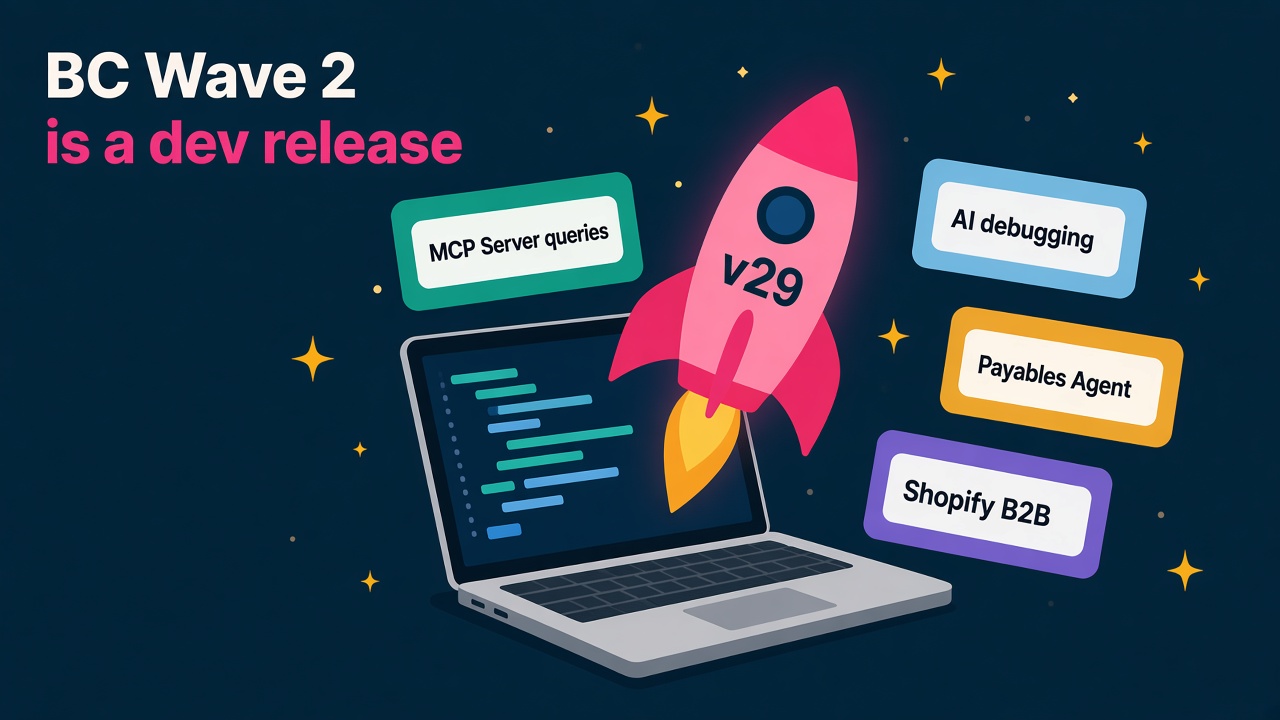
Business Central v29 is live. Its biggest story is AI-assisted AL development and MCP queries. Here's what it means for BC developers and consultants.
Business Central 2026 release wave 2 is out. Version 29.0 became available in October, every new customer signing up now lands on it, and online customers are being moved across automatically over the coming weeks (DvlprLife's October update round-up has the details and the on-premises cumulative update links).
Most of the coverage I've seen leads with the Copilot and agent features, and fair enough, they're the shiny bit. But when you sit down with Microsoft's own What's New list for update 29.0, the thing that jumps out is the Development section. It has more than 20 separate features in it, and a big chunk of them are about letting AI agents work alongside AL developers. That tells you a lot about where BC careers are heading.
I think this is great news for BC people. Here's why, and what I'd do about it.
What's actually in version 29?
The full list is long, so here's the shape of it, all taken from Microsoft's release notes.
Copilot and agents
- Microsoft Copilot chat experience inside Business Central, in public preview.
- Better purchase order matching in the Payables Agent, generally available. The Payables Agent watches a mailbox for vendor invoices, reads them and drafts purchase invoices for a person to review.
- A dedicated task pane for all agents, easier agent permissions, and the ability to review agent-generated content directly on pages, all generally available.
- Run data queries with the MCP Server, generally available. More on this below, because it matters.
Development
This is where it gets interesting. Generally available in v29:
- Debug recorded Business Central failures with an AI agent.
- Profile slow Business Central sessions with AI agents.
- Let agents allocate free AL object IDs.
- Use AL language intelligence from AI agents and other editors.
- Configure AL MCP workspaces dynamically, with file logging to diagnose AL MCP server activity.
- Run AL tests from the command line and CI/CD workflows, and build extensible, data-driven AL test suites.
- Page Scripting is now generally available.
- Evolve AL interfaces with default implementations.
Everything else
There's plenty for functional consultants too. Shopify gets B2B companies, catalogues and pricing, plus order changes, exchanges and refunds. E-Documents gets EDI exchange in public preview. The Expense Agent picks up AI-driven approvals, VAT on expense reports and more countries and languages, all in preview. Reporting gets report themes, an updated Word add-in, and the ability to run multiple financial reports into a single PDF. Manufacturing gets a solid set of subcontracting improvements, and Sustainability Management keeps growing, with carbon footprint tracking for fixed assets and item journals.
Why do I call it a developer's release?
Because Microsoft has spent this wave rebuilding the AL toolchain so that an AI coding agent can do real work in it.
Think about what a coding agent needs to be useful. It needs to understand the language, so AL language intelligence is now available to agents and other editors, not just inside Visual Studio Code. It needs to find things, hence discovering objects in connected environments. It needs to avoid stepping on toes, hence letting agents allocate free object IDs. It needs to prove its work, which is exactly what command-line AL tests and CI/CD support give it. And it needs to fix things, which is where AI debugging of recorded failures and AI profiling of slow sessions come in.
Put those together and you can see where this is going. The BC developer of 2027 spends less time typing boilerplate and more time directing agents, reviewing what they produce and owning the quality. That's a much more valuable job than the one it replaces.
I've watched a few rounds of "this will replace developers" in my time. It never does. What it does is lift the ceiling on what one good developer can deliver, and the market rewards the people who learn the new tools first.
The MCP Server change is bigger than it looks
The Business Central MCP Server (MCP is Model Context Protocol, the open standard that lets AI tools talk to business systems) already let AI tools read and act on data through API pages. The catch was that if the data you needed wasn't on an existing API page, a developer had to build one first.
In v29, the MCP Server adds tools to define, validate and run custom data queries. As the team at 365 Vanguard put it, this closes a real gap for anyone building AI tooling on top of BC, and the validate-before-run step is the safety property that matters.
For consultants, that opens up a nice new line of work: connecting BC data to Copilot Studio agents, internal assistants and reporting tools, with sensible permissions and governance. Clients will want someone who understands both the BC data model and how to keep an agent on a short leash.
A small licensing change partners shouldn't miss
If you look after on-premises customers, note this one from the Partner Center October 2026 announcements. From 1 October 2026, new Business Central releases no longer come with version-specific on-premises license keys. For version 28 and later there's a single "28+" key, and the date you download it decides which objects it unlocks.
In practice, customers need to download a refreshed 28+ key before each version upgrade. Microsoft's example is version 30 in April 2027: a key downloaded on 1 October 2026 will throw a version compatibility warning. It's a small thing, but it's exactly the kind of small thing that ruins an upgrade weekend, so put it on your checklist.
What does this mean for BC careers?
For AL developers
Your value is shifting from writing every line to being the person who can make AI-assisted development safe and fast. The people who'll be in demand are those who can set up AL MCP workspaces, wire AL tests into a pipeline, use AI debugging and profiling to fix production issues quickly, and review agent-written code with a sharp eye. If you already have DevOps habits, you're well placed. If you don't, now's the time.
For functional consultants
The agent features are moving from novelty to normal. The Payables Agent's improved purchase order matching, the agent task pane and in-page review of agent content mean clients will actually run agents in production. That needs people who can design the supervision process: who reviews what, which permissions each agent gets, and what happens when it gets something wrong. That's functional work, not coding.
For partners and employers
Upgrade and adoption projects are a great reason to talk to clients right now, and v29 gives you a long list of reasons. But the bigger move is internal. Partners whose developers adopt agent-assisted AL early will deliver faster and price more competitively. That's a hiring and training decision, and it's worth making this quarter rather than next year.
Skills I'd build this month
Here's a practical list. None of it needs permission from anyone.
- Spin up a v29 sandbox and work through the What's New list. Turn things on and break them.
- Connect an AI coding agent to an AL workspace using the AL MCP tooling. Tools like GitHub Copilot, Claude or Grok Bot are all reasonable starting points. Ask it to find objects, suggest a change and allocate an ID, then review everything it does.
- Get AL tests running from the command line, then in a simple CI/CD pipeline. This is the habit that makes agent-written code trustworthy.
- Try the AI debugging and profiling features on a recorded failure or a slow session.
- Build one MCP custom query that answers a real business question, and think through who should be allowed to run it.
- Set up the Payables Agent end to end with a test mailbox, including permissions and the review step.
- Pick one functional area from the release (Shopify B2B, subcontracting, report themes or sustainability) and become the person in your team who knows it properly.
- Write it up. A short LinkedIn post or internal guide on what you learned does more for your profile than another certificate.
How to talk about it in interviews
If you're interviewing for BC roles over the next six months, expect questions like:
- Have you worked with the BC MCP Server or connected BC to an AI agent?
- How would you review and test code written by an AI agent?
- Have you run AL tests in a pipeline?
- How would you set up permissions and supervision for the Payables Agent?
- What's your upgrade checklist for moving a client to v29?
Even if you've only done these in a sandbox, say so and talk through what you learned. Hiring managers know this is new. They're looking for curiosity and a sensible approach, not ten years of experience in something that's months old.
The bigger picture
Business Central has always been a product where one capable person can make a real difference to a business. Version 29 pushes that further. Agents take on the repetitive work, developers get tools that make them faster and safer, and consultants get to spend more time on the design and judgement clients actually pay for. I'm genuinely excited about it.
What to do next
- Browse live Business Central developer and consultant roles on our jobs board.
- Check what BC developers and functional consultants are earning on the salaries page.
- Update your consultant profile with any v29, MCP, AL testing or agent experience.
- Looking for BC add-ons that work well with the new release? Compare options in our products and vendors directories.
- Hiring BC talent for agent-era projects? Tell candidates what you're building on the employers page.