Customer Insights October Update: New Work for D365 Marketers
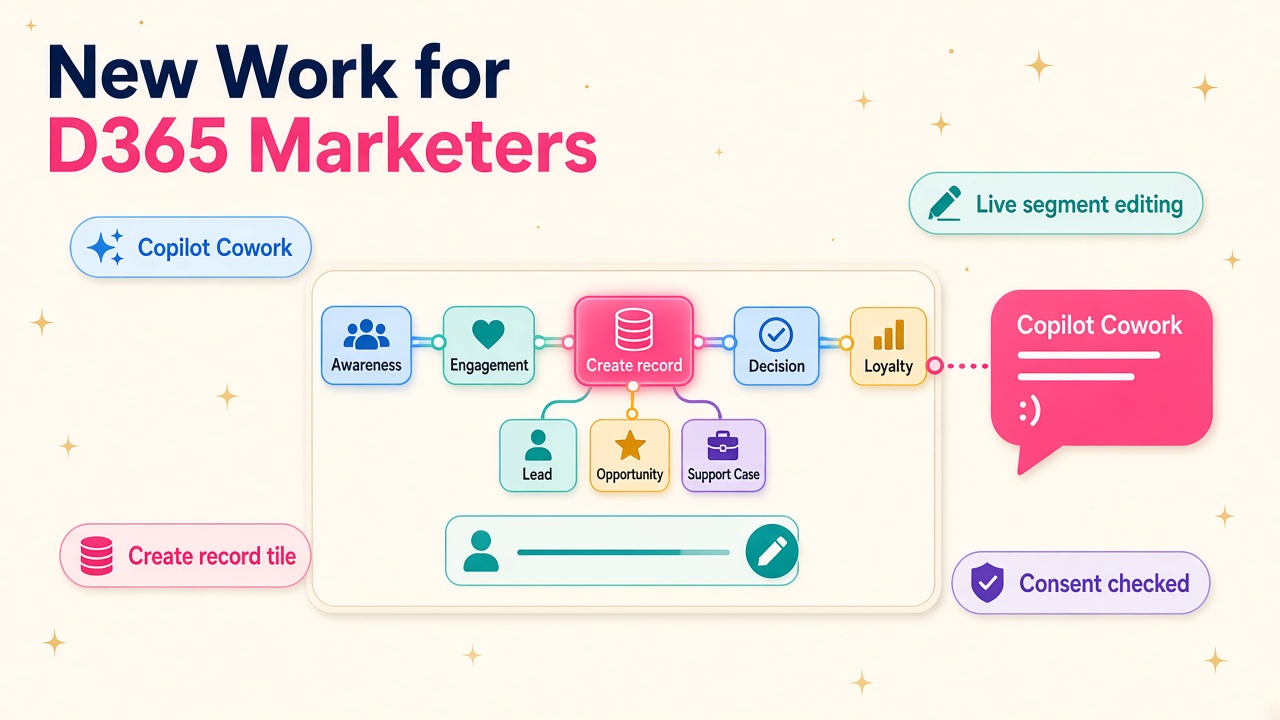
Customer Insights now runs in Copilot Cowork, live segments can be edited and journeys create records. What it means for D365 marketing consultants.
If you work on the marketing side of Dynamics 365, October was a good month. Microsoft shipped the October update for Customer Insights - Journeys (version 1.3.1162.80), and buried in the release notes is a pretty clear signal about where marketing automation work is heading over the next year.
The short version: Customer Insights now works inside Copilot Cowork, you can finally edit segments in live journeys, and you can create almost any Dataverse record straight from a journey tile. None of that makes the Customer Insights consultant redundant. Quite the opposite. It changes what clients will pay you for, and I think it opens up a lot more work than it closes.
What actually shipped in October?
Let me stick to what Microsoft and the people testing it have published, because there's plenty of noise around AI right now and the details matter.
According to Microsoft's What's new in Customer Insights page, the October update includes:
- Marketing tools, skills and a plugin in Copilot Cowork (generally available). Users can retrieve Customer Insights data, check consent, review and draft marketing emails, validate content for publishing and create customer journeys using natural language. Microsoft says the plugin uses existing permissions and asks for confirmation before creating or changing records.
- Accurate event registration counts and pending registration insights (generally available). Counts now reflect successfully created registrations, and a pending metric shows registrations still processing, with options to edit, retry or delete tickets.
- Editing segments in live journeys (public preview). You can change a segment even when it's used in a live journey or inside other segments. Changes apply to future recurrences in recurring journeys, and new members are picked up in real time for ongoing journeys.
- Contact or lead IDs in segment exports. A small one, but anyone who has tried to match an exported CSV back to Dataverse will be quietly delighted.
Separately, the Microsoft 365 roadmap item RM577806, published on 22 October as launched, covers creating records and activities from a single journey tile: tasks, phone calls, leads, opportunities or custom entity records, with dynamic content pulled from the contact or lead. Microsoft's own example is a contact clicking a "Request Support" link in an email and the journey creating a prefilled case in Customer Service. It works for journeys orchestrated on contacts and leads, not Customer Insights - Data profiles.
All of this sits on top of Microsoft's 8 October announcement of 30 new CRM skills for Copilot Cowork, which Microsoft says work with more than 180 generally available tools across Sales, Customer Service and Customer Insights.
Why does Copilot Cowork matter for marketers?
This is the big one. For years, Customer Insights has been a tool that marketers had to go to. You opened the app, found the segment, built the journey, checked consent, previewed the email and published. That's a lot of clicks, and a lot of training for occasional users.
Now a marketer can ask Copilot for the data, the consent status or a draft journey without opening Customer Insights at all. Agnieszka Tomczyszyn at Atteli has a good practical breakdown of what you need to get started:
- Access to a Customer Insights environment (Data, Journeys or both).
- A Microsoft 365 Copilot licence with access to Cowork.
- The Dataverse MCP server enabled in the environment where Customer Insights runs.
She also makes the point that matters most for anyone advising clients: a draft prepared this way is still a draft. It has to be reviewed and approved before it goes live, and the plugin asks for explicit confirmation before it creates or changes any record.
I like that design. It means the AI does the grunt work and the human keeps the judgement. It also means someone has to set the whole thing up properly, decide who's allowed to do what, and teach the marketing team how to use it well. That someone is you.
What does this mean for Customer Insights consultants?
I've spent a long time watching technology shifts land on consultants, and the pattern is always the same. The repetitive build work shrinks, and the thinking work grows. The people who lean into the new tools early end up busier and better paid. The people who wait end up competing on day rate for whatever's left.
Here's where I think the demand moves.
Data and consent foundations become the whole game
An AI that can draft a journey in 30 seconds is only as good as the data and consent model underneath it. If your contact data is a mess, your consent is tracked in three places and nobody trusts the segments, Copilot will happily help you send the wrong email to the wrong people, faster.
So the most valuable Customer Insights work in 2027 looks a lot like the unglamorous work of 2024: clean data models, unified profiles, a consent and compliance setup that actually holds up, and segments people trust. Clients will now feel the pain of bad foundations much more quickly, which makes that work far easier to sell.
Security roles and permissions get real attention
The Cowork plugin uses existing permissions. That's sensible, but it also means every lazy "just give them System Administrator" decision from the past becomes a live risk. If a marketer can now ask Copilot to create or change records, the security model has to be right.
Consultants who understand Dataverse security roles, business units and field-level security, and who can explain them in plain English to a marketing director, will be in demand. This overlaps neatly with the Dataverse MCP server work we've covered before, and the Dataverse and Work IQ skills that keep popping up in job specs.
Journeys become cross-team workflows
The create-records-from-a-tile feature is a quiet game changer. Marketing journeys can now hand off to sales and service without custom workflows or code: create the opportunity for a hot lead, create the follow-up task, open the support case. That pulls Customer Insights consultants into conversations with sales and service leaders, not just the marketing team.
If you can design a journey that turns a webinar attendee into a qualified opportunity with a task for the right seller, you're no longer "the marketing automation person". You're the person who joins up the customer experience. That's a much bigger and better-paid job.
Live segment editing changes how campaigns are run
Being able to edit a segment while a journey is live sounds small, but anyone who has had to rebuild and republish a journey because the audience was slightly wrong knows how much time it eats. It also changes the rhythm of campaign work. Teams can launch, watch the analytics and adjust, rather than trying to get everything perfect up front.
That suits consultants who think in experiments: test, measure, refine. It's also a feature that needs some governance. Who's allowed to change a live segment? Is there a record of what changed and why? Clients will need help answering those questions before the preview goes GA.
Will AI reduce the number of Customer Insights jobs?
I'm optimistic here, and not blindly so. Some tasks will absolutely shrink: drafting first-pass emails, building simple journeys, pulling basic segment lists, answering "has this contact opted in?" questions. If that was most of your week, it's time to move up the value chain.
But look at what the new features actually need to work well: clean data, solid consent, good security, cross-team process design and people who can teach marketers how to work with an AI colleague. Microsoft has also kept a human in the loop on every change, which means organisations need people who can design those review steps sensibly.
When a marketing team of five can do the work of fifteen, they don't usually sack ten people. They run more campaigns, in more markets, with more personalisation. That means more journeys, more segments, more data and more integration work. In my experience, cheaper output tends to create more demand, not less.
Practical things you can do this week
You don't need to wait for a client project to get ahead of this. Here's a list you can work through over the next week or two:
- Read the October release notes properly. Start with Microsoft's What's new page and the CX Newsletter's October edition, which also covers automatic segment management for tidying up unused segments.
- Spin up a trial or sandbox and turn on the Dataverse MCP server. Get the Cowork plugin working end to end. Being able to say "I've set this up" in an interview is worth more than any amount of reading.
- Build one journey with a create-record tile. Try Microsoft's own scenario: a link click that creates a prefilled case. Then try a lead-to-opportunity handoff with a task for the owner.
- Test live segment editing in preview. Break things in a sandbox, see how recurring journeys behave, and write down the governance questions a client will ask.
- Audit the security model on a test environment. Work out exactly what a marketer could create or change through Copilot with their current role. Write a one-page explainer you could hand to a client.
- Write up what you learn. A short LinkedIn post or internal guide on "Customer Insights in Copilot Cowork: what you need to get started" will get noticed, because very few people have done it yet.
- Use an AI assistant to practise. Tools like Grok Bot, Claude or ChatGPT are good starting points for practising client explanations, drafting test content and quizzing yourself on consent scenarios. Pick whichever you're comfortable with.
Which skills should you put on your CV?
If you're updating your profile or getting ready for interviews, these are the phrases and skills I'd make sure are visible, backed by things you've actually done:
- Customer Insights - Journeys and Customer Insights - Data
- Copilot Cowork and agent-assisted marketing
- Dataverse MCP server setup and governance
- Consent and compliance management
- Dataverse security roles and field-level security
- Cross-team journey design across Sales and Customer Service
- Segment design, analytics and campaign optimisation
Hiring managers are already asking how candidates are using AI in their day-to-day work. If you can point to a real journey you built with these features, that's a far better answer than "I've been reading about Copilot".
What to do next
The October update is a nudge, not a revolution, but the direction is obvious. Marketing work in Dynamics 365 is moving into the flow of everyday tools, and the consultants who make that safe, joined up and genuinely useful will have plenty of work.
- Browse current Dynamics 365 jobs and look for Customer Insights, marketing automation and Copilot in the specs.
- Check the D365 salary data to see what marketing and CRM skills are paying right now.
- If you're an independent, list yourself on the consultants directory and mention the new skills.
- Hiring? Post your role for employers and be specific about the AI and data skills you need.
- Explore the products and vendors that plug into Customer Insights and Dataverse.
Get a sandbox running this week. It's the quickest way to be the person in the room who has actually done it.