Contact Center Playbooks: New Skills for D365 Pros
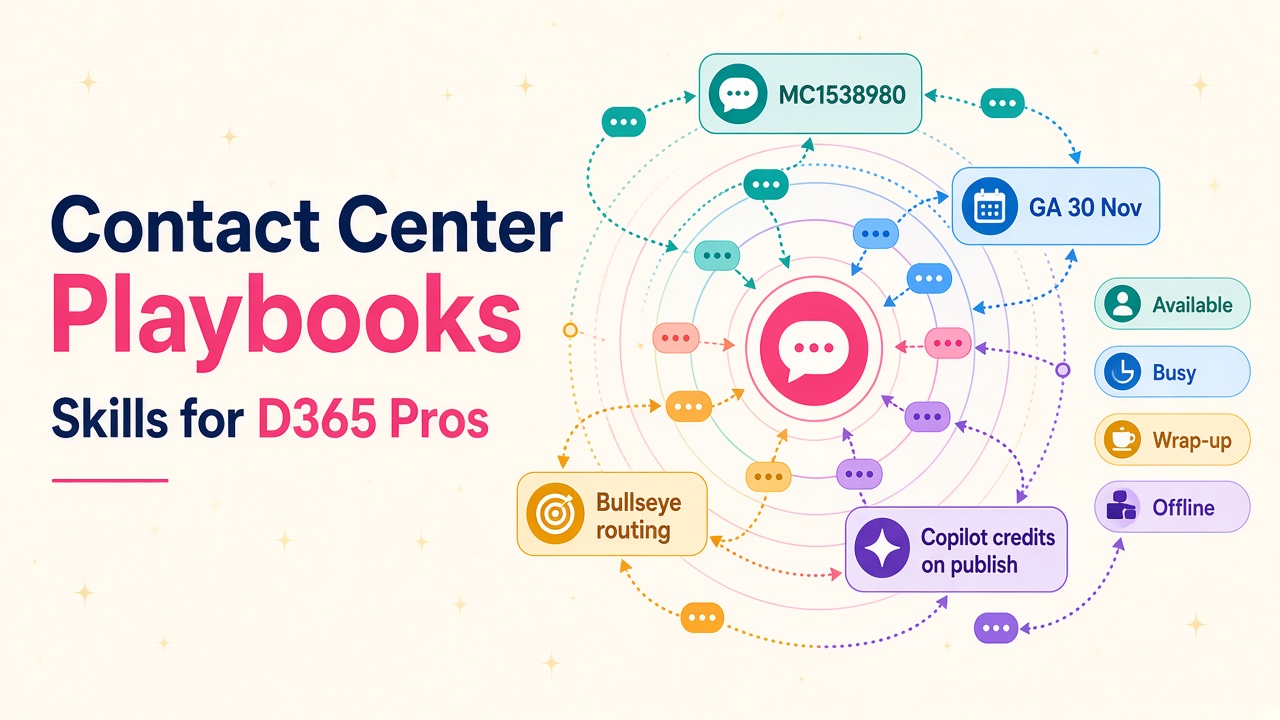
Natural-language Contact Center playbooks (MC1538980) and bullseye routing with user groups go GA in November. Here's the skill shift for D365 pros.
Microsoft just put natural-language routing playbooks firmly on the Dynamics 365 Contact Center roadmap, and if you work in customer service, omnichannel or unified routing, this is the sort of change that quietly rewrites your job description.
Message Center item MC1538980 says Dynamics 365 Contact Center will let you orchestrate conversation distribution with natural-language playbooks, generally available by 30 November 2026. Sitting alongside it is MC1538962: bullseye routing with user groups, GA by 6 November 2026. Together they turn "who gets this conversation next" from a pile of brittle rules into something you can design in plain English, validate, and publish.
I have spent enough years watching contact centre projects to know that routing is where good service strategies go to die. Queues fill up. Wait times stretch. VIP customers sit behind low-priority chats. Preferred agents are offline. Supervisors get pinged too late. The new playbooks are Microsoft's answer to that messy middle of the conversation lifecycle, and the people who learn them early will be the ones clients call when the next Contact Center rollout lands.
What conversation orchestration actually does
Conversation orchestration keeps every conversation managed from initiation through resolution. It watches conditions as they change (wait time rising, queues filling, representatives signing out) and runs the action you defined in the playbook.
According to Microsoft Learn, it is available for voice and messaging channels only. You need:
- System administrator or Omnichannel administrator
- Unified routing enabled
- At least one queue and workstream for voice or messaging
- Consumption-based billing set up (and an Azure subscription if you are on Power Platform pay-as-you-go)
- The conversation orchestration toggle switched on
A playbook is simple on paper: a trigger, up to 10 conditions, and actions. Status is either Draft or Active. Guided templates keep the natural language focused, and the system validates for conflicts before you publish. Publishing converts your natural language into a structured runtime format that then runs for as many conversations as you throw at it.
One credit detail matters a lot for budgeting conversations with clients: publishing a playbook consumes Copilot credits; runtime processing does not. Saving as a draft does not consume credits. Enabling the conversation orchestration toggle does not consume credits either. Existing playbooks keep working. That is a much cleaner story than "every conversation burns AI credits", and you should write it into every proposal.
The four scenarios that matter
Microsoft groups the templates into four practical scenarios. Learn these names cold.
Dynamic prioritisation
Automatically increase or reset conversation priority based on wait time, queue transfers or queue consults. You can tailor priority by context variables such as customer tier or product ownership. It works alongside existing overflow rules, assignment rules and other orchestration playbooks.
Important catch from the docs: dynamic prioritisation does not apply to queues that already have custom prioritisation rules. If priority is stuck, check that first. Classification rules still set the initial priority score.
Overflow handling
Real-time overflow when the queue is outside operating hours, all representatives are signed out, nobody is available, wait times are high, or demand spikes. For direct inbound (DID) calls you can define fallback when the target representative is unavailable, rejects the call, or does not answer before the notification times out. Actions include callbacks, alternate queues, expanding eligibility, notifying supervisors and sending contextual messages.
Preferred or previously engaged representative
Route to a preferred expert mapped to the contact, or to someone who already helped that customer, with fallback to the next best available person. For returning asynchronous chats, keep the same expert when affinity is on and presence plus capacity allow it.
Bullseye routing through user groups
This is the big one for skilled routing. Start assignment with a targeted Level 0 user group, then expand to further groups as wait time grows. Earlier groups stay active and keep priority. The conversation stays in the same queue the whole time. No more bouncing a VIP through three queues just to widen the agent pool.
Bullseye routing in practice (MC1538962)
Bullseye GA lands first, by 6 November 2026. The pattern Microsoft documents is straightforward:
- Create user groups (by skill, language, region or whatever your operating model uses) and associate them with queues.
- Build a bullseye playbook from the template for one or more queues.
- Define levels and wait times.
A typical setup might look like Level 0 Expert support, Level 1 Regional support at 30 seconds, Level 2 General support at 60 seconds. The system tries Expert first, then adds Regional while still preferring Expert, then adds General while still preferring the earlier groups. Within a level, the queue's assignment method (round robin, highest capacity, least active) picks the person. Custom assignment methods are not supported here. Presence, capacity and skills still apply.
Wait-time rules from Learn:
- Minimum wait time for levels is at least 30 seconds
- Level 1 also supports 0 seconds
- The next level must be the same wait time or at least +10 seconds
- Wait time is cumulative from the first assignment attempt
- If the conversation transfers to another queue, wait time resets and evaluation restarts at Level 0
If several queues share a playbook, they need common user groups. Otherwise create separate bullseye playbooks per queue set.
You can also stack dynamic prioritisation or overflow playbooks on the same queue as bullseye, because those are different scenarios. That combination is where real service design starts to look sharp.
Conflicts, validation and ALM
Same queue + same scenario = conflict. You cannot have two active playbooks for "escalate priority based on wait time" on Queue A. Edit the existing one, or change the queue selection. Drafts that conflict can still be saved; validation runs on publish.
Same queue + different scenarios = fine. Dynamic prioritisation and overflow can both be Active on one queue and fire on their own triggers.
Validation also catches empty required fields, out-of-range values (priority 0-10,000; time minimum 30 seconds), duplicate conditions and overlapping conditions that might behave oddly.
For ALM, export playbooks via a solution by adding the CC User Prompt table. Queues and context variables must already exist in the destination environment, or import fails. Test after import. That is table-stakes partner hygiene, and clients will pay for someone who does not break production routing on a Friday afternoon.
Microsoft's Responsible AI notes are worth a quiet mention with every client: this feature is for service outcomes and customer satisfaction, not employment decisions such as compensation or seniority. Keep routing design focused on customer experience.
Where the career upside sits
Contact Center projects used to hire for "omnichannel configuration" and leave routing as a late-phase headache. Natural-language playbooks change the skill profile.
Functional consultants and solution architects who can sit with a service director and turn "Gold customers should never wait more than a minute before we widen the agent pool" into a published bullseye plus prioritisation pair will be in demand. That is process design, not button clicking.
Administrators who own Copilot Service admin center (path: Customer support → Conversation Orchestration) need to know credit behaviour, conflict rules and diagnostics queries. Publishing burns credits; runtime does not. That distinction belongs in every environment strategy.
Partners and ISVs get a clean productised offer: "Contact Center routing health check and playbook pack". Map current queues, design Level 0-2 user groups, draft overflow and preferred-agent playbooks, test, publish. List that offer on our vendors directory once you can deliver it.
People hiring should look for candidates who have shipped unified routing, understand context variables, and can explain bullseye without waving their hands. Our jobs board and salary data already show Contact Center and Customer Service skills commanding attention; playbook fluency is the next filter.
If you are an employer building a service transformation team for 2027, post the role with "conversation orchestration" and "bullseye routing" in the brief. Candidates who have only done classic queue membership will need coaching; candidates who have designed progressive assignment will hit the ground running.
A realistic two-week practice plan
You do not need a full production Contact Center to practise the concepts.
- Day 1-2: Read the conversation orchestration and bullseye routing docs end to end. Write a one-pager of the four scenarios in your own words.
- Day 3-4: In a sandbox with unified routing, enable the conversation orchestration toggle. Create two user groups and attach them to a messaging or voice queue.
- Day 5-6: Build a draft bullseye playbook (Level 0 specialists, Level 1 broader team at 30s). Do not publish yet. Check validation warnings.
- Day 7-8: Add a separate dynamic prioritisation playbook for the same queue (different scenario) that lifts Gold-tier conversations after 30 seconds. Confirm both can be Active together.
- Day 9-10: Design one overflow playbook for out-of-hours and one preferred-representative assignment with fallback. Note which actions you would use for DID.
- Day 11-12: Export via a solution (CC User Prompt), import into a second environment where queues and context variables already exist, and run a test conversation. Fix whatever breaks.
- Day 13-14: Document credit behaviour for your sales team, update your CV or partner pitch with a concrete "designed and published Contact Center playbooks" bullet, and scan D365 products related to Contact Center so you know what sits around the feature.
What to do next
- Enable the conversation orchestration toggle in Copilot Service admin center and open Customer support → Conversation Orchestration.
- Sketch bullseye levels for your busiest queue before 30 November, and decide whether MC1538962's GA window is enough to pilot user groups now.
- Budget Copilot credits for publish events, not for every conversation.
- Browse Contact Center and Customer Service roles, check what those skills are paying on salaries, and if you deliver this work, list yourself on vendors or explore related products.
- Hiring for the next Contact Center wave? Employers can reach people who already speak unified routing.
30 November is close. The consultants who can design playbooks in plain English, validate conflicts, and prove runtime does not burn credits will walk into those projects looking like they already belong there.