Field Service Scheduling Agent: What D365 Pros Need to Know
Microsoft's Scheduling Operations Agent is changing D365 Field Service dispatch. Here's how it works, its preview limits and the skills that now pay.
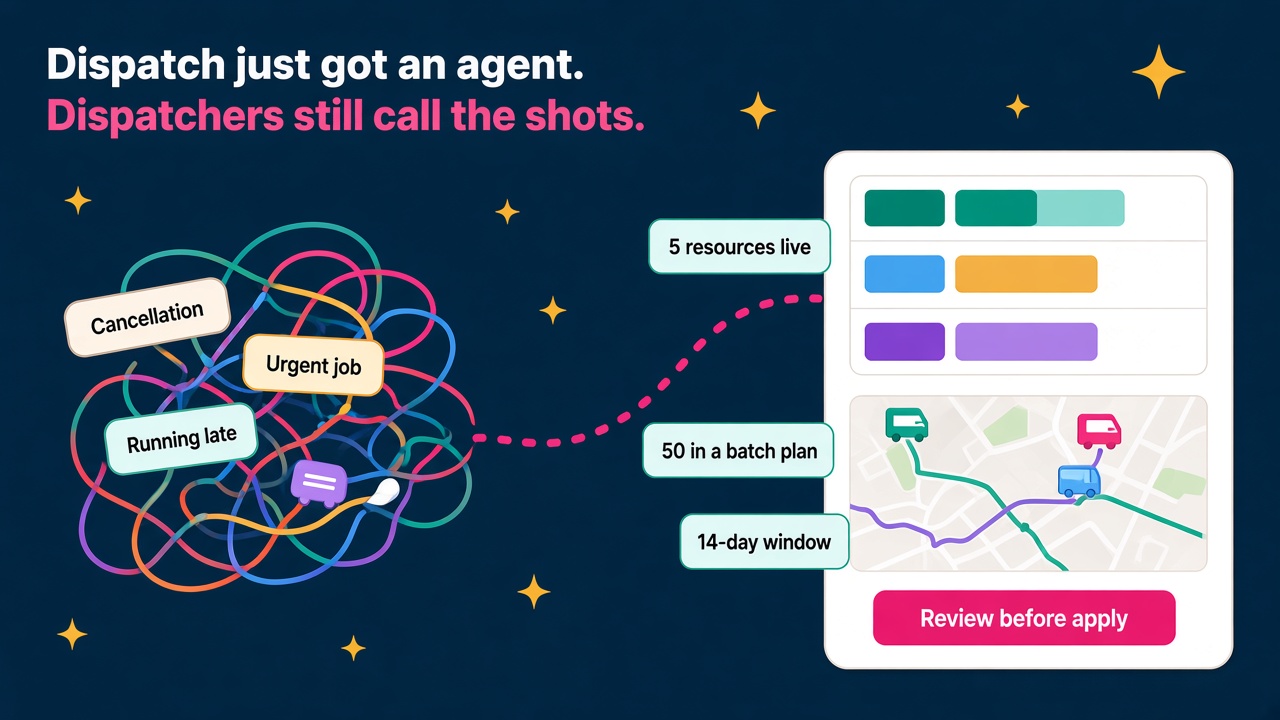
Dispatch has always been one of the hardest jobs in field service. It's late morning, one technician is running behind, another has just had a cancellation and an urgent job has landed two suburbs away. The dispatcher has a schedule board, a phone and about ten minutes to sort it out before three customers start ringing.
On 20 October, Microsoft published a detailed update on the Scheduling Operations Agent for Dynamics 365 Field Service, and it goes straight at that moment. It's still in public preview, but it's moved well past a demo. If you work in Field Service, or you're thinking about moving into it, I think this is one of the more interesting things to happen to the product in years, and it's very good news for the people who know how dispatch actually works.
What the Scheduling Operations Agent actually does
In plain terms, the agent looks at your technicians' availability, their current bookings and your unscheduled work, then suggests a better schedule based on the goals you give it. It works in three ways.
Interactive optimisation for the messy middle of the day
The dispatcher picks up to five resources, a view of open requirements and a scheduling goal, and the agent suggests a better arrangement. The dispatcher reviews it and decides whether to apply it. Microsoft is clear that this stays on-demand: the human decides when help is needed and stays in control of the board.
The preview limits are five resources, 120 combined bookings and open requirements, and any 72-hour window in the future, according to the limits page on Microsoft Learn.
Batch plans for a whole team or territory
When the question is "how should we schedule tomorrow across this team?", you save a scheduling plan. That plan holds the scope (which technicians, which open work, which existing bookings the agent is allowed to touch), a goal, a time period and how results get applied. In preview, a batch run handles up to 50 resources, 4,000 combined bookings and requirements, up to 2,000 bookings per resource, and a window of up to 14 days.
Recurrence, so proven plans run on their own
Once a plan keeps producing good results, you can put it on a schedule. You can keep Review before apply, so a dispatcher still approves the result, or switch to Apply automatically. Microsoft makes a point I really like here: automating when a plan runs doesn't mean you have to automate approval of what it produces. Those are two separate decisions.
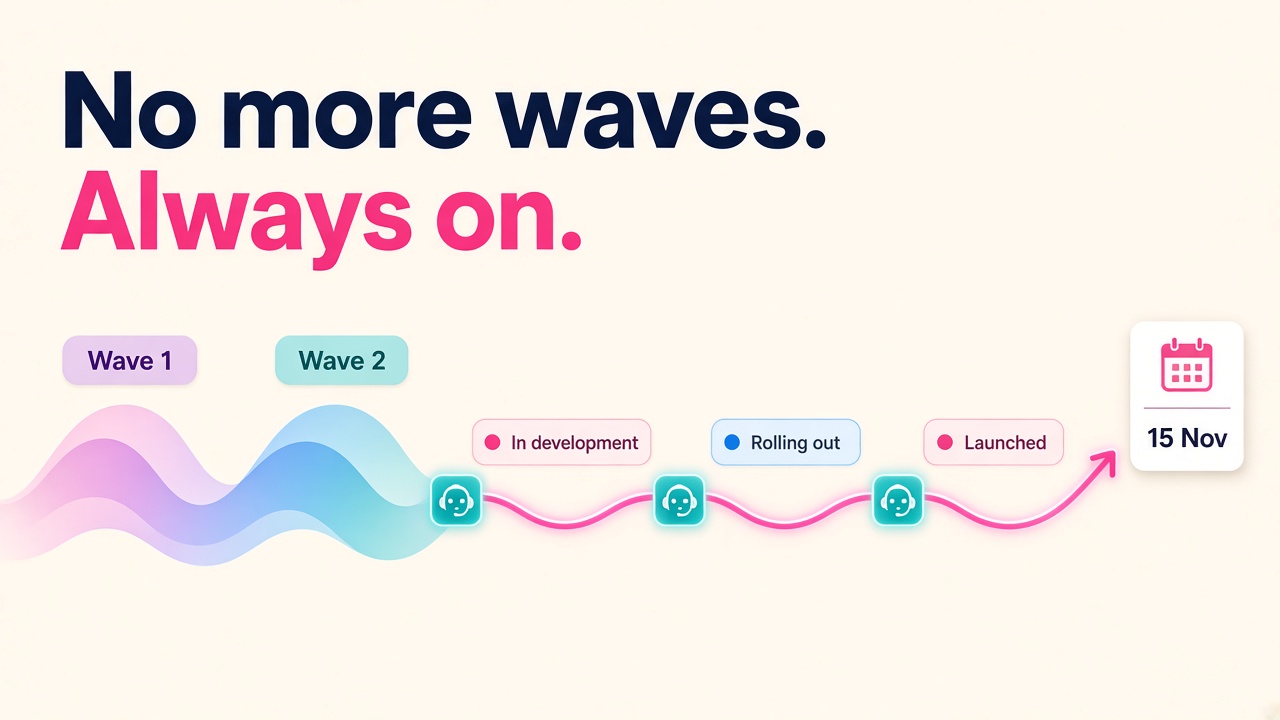
The minimum recurrence interval is 30 minutes, and Microsoft itself says that's a limit, not a recommendation. Recurring optimisation entered public preview in September 2026, and the archived release plan pencilled in general availability for March 2027. Treat that date as a target rather than a promise, since release plans were archived this month when Microsoft moved away from release waves (we covered that shift in our post on how consultants keep up now).
Why I think this is great news for Field Service people
Whenever an agent turns up in a job that people do every day, the first worry is that the job disappears. I'd read this one very differently.
Look at what the agent needs to do a good job. It needs clean resource calendars, accurate locations, sensible requirement durations, proper priorities and the right booking statuses. Microsoft's own guidance says that not every odd result calls for a different goal weighting, and that you should fix those inputs alongside the goal. That is configuration and data work, and it's exactly what good Field Service consultants and solution architects already do.
The agent also needs someone to design the goals. Do you weight Schedule High Priority Requirements First above Minimize Travel Time? Microsoft warns that if you put travel time or utilisation at the top, they can drown out everything else, so cheap, nearby low-priority work gets booked ahead of urgent jobs. Getting that balance right for a gas boiler service business is different from getting it right for a lift maintenance contractor or a hospital equipment team. That judgement is valuable, and it's billable.
And it still needs dispatchers. Good dispatchers carry an enormous amount of knowledge in their heads: which customer will kick off if the tech is late, which technician is brilliant on a certain kind of job, which roads are a nightmare on a Friday. The agent gives them time back to use that knowledge, rather than spending the morning dragging bookings around a board.
The details that will sort the experts from the tourists
If you want to be the person a Field Service team calls about this agent, here are the details that matter. They're all in the setup guide and the limits page, and plenty of people won't read them properly.
- Booking status optimisation methods. Each booking status gets an Optimization Method: Optimize (the agent can move or delete it), Do Not Move (arrival time is preserved) or Ignore (typically cancelled bookings). If you don't set it, the agent treats the status as Do Not Move, which can make it look like the agent isn't doing anything.
- Priority values. The agent uses a Priority Value from 1 to 100 and ignores the Level of Importance field. Microsoft suggests clearly distinct values in a fairly narrow range, because something like Low 1, Medium 10, Emergency 100 means emergencies get placed almost regardless of how inefficient that is.
- Display on schedule board. Resources need this set to Yes to be considered at all.
- What isn't supported yet. Equipment, pool and facility resources, requirement groups and multiday requirements are all out for now. A resource can have up to three breaks per day or shift, and four or more returns an error. The agent also doesn't consider fulfilment preferences or use fields specific to Resource Scheduling Optimization (RSO).
- How it trims an oversized run. If a run has more jobs than the limit, it keeps existing bookings first and then adds open requirements. If existing bookings alone exceed the limit, the run fails. Tight scoping matters.
- Run time versus optimisation window. A plan might run at 2am to optimise work starting at 8am. If it needs review, results expire at the start of the window or after 72 hours, whichever comes first, so someone has to approve before the day starts.
- It doesn't react to events. Recurrence is time-based. It won't notice a cancellation at 10:14 and jump on it. That's where interactive optimisation and a sharp dispatcher come in.
None of this is glamorous, but it's the difference between a pilot that impresses the operations director and one that quietly gets switched off.
A sensible rollout pattern you can borrow
Microsoft's guidance follows a pattern that I'd recommend to any client, and it's worth having in your back pocket for interviews and workshops.
- Start interactive. Give dispatchers the five-resource optimisation for real disruptions. It fits the way they already work and builds trust quickly.
- Build one batch plan for one territory. Run it on demand with Review before apply. Check the questions Microsoft suggests: is the right work being scheduled, is travel reasonable, are important appointments staying put, and is work being excluded because of missing skills, bad time windows or wrong data?
- Tune the inputs, then the goal. Change one thing at a time and compare results. Keep utilisation and travel time as your lowest ranked objectives unless that trade-off is deliberate.
- Add recurrence, keeping review on. A common starting pattern from Microsoft is broader planning overnight, with a couple of targeted intraday runs if work changes a lot during the day. Start the intraday window an hour or two ahead so you're not shuffling imminent appointments.
- Only then consider Apply automatically. And protect anything that must not move with Do Not Move and booking-level restrictions, because Prefer Existing Bookings is a preference, not a hard rule.
Keep an eye on consumption too. More frequent runs cost more and only help if enough has changed to justify them.
One more caution from Microsoft and partners: this is preview. Advantage puts it well in their release round-up, saying these capabilities belong in a test environment rather than live dispatch for now. That's the right call, and it gives you a window to get good at it before customers want it in production.
What this means for jobs and careers
Here's how I see it playing out across the roles we track on D365 Market.
Field Service functional consultants who can configure scheduling goals, booking statuses and priority models, and explain the trade-offs to an operations manager, will be in demand as customers move from curiosity to pilots. If you've done RSO work before, a lot of your thinking carries over, though the agent is configured differently.
Dispatchers and service coordinators who learn how the agent thinks become super users, trainers and eventually scheduling analysts. That's a real career step, and it doesn't need a computer science degree.
Solution architects get a new design conversation about where automation stops and human approval starts. Clients will want someone who can draw that line sensibly.
Data and Power Platform people have plenty to do, because the quality of every schedule depends on the quality of calendars, locations, skills and durations in Dataverse.
Employers running field service teams should start thinking about who owns scheduling goals inside the business. It shouldn't just be whoever happened to configure the system three years ago.
This sits nicely alongside the other agent news from the last few weeks, like Contact Center Intelligence and the new CRM skills in Copilot. The pattern is the same each time: the agent does the heavy lifting, and the people who understand the business process get more valuable, not less.
What to do next
- Get hands-on. Spin up a trial or sandbox environment, enable the agent and set up booking statuses and priority values yourself. Break it on purpose so you understand the errors.
- Build one scheduling goal and explain it. Write a short note on why you weighted each objective the way you did. That note is gold in an interview.
- Talk to a dispatcher. If you're a consultant, spend an hour with the people who run the board. Their unwritten rules are what make a goal work.
- Update your profile. If you've done Field Service scheduling, say so clearly on your consultant profile and mention the agent if you've worked with it.
- Check the market. Browse current Dynamics 365 jobs, compare pay on our salary pages, and look at which employers and partners are hiring Field Service skills.
If you're hiring, now is a good time to find the people who'll lead your pilot rather than waiting until the agent is generally available and everyone wants the same handful of experts.