D365 Release Waves Are Over: How Consultants Keep Up Now
Microsoft has retired D365 release waves for an always-on AI at Work roadmap. Here is what it means for consultants and how to stay current from here.
For as long as most of us have worked in Dynamics, the year has had a rhythm. Release plans landed in January and July, wave 1 went live in April, wave 2 in October, and every partner ran a "what's new" lunch-and-learn somewhere in between. That rhythm has now stopped.
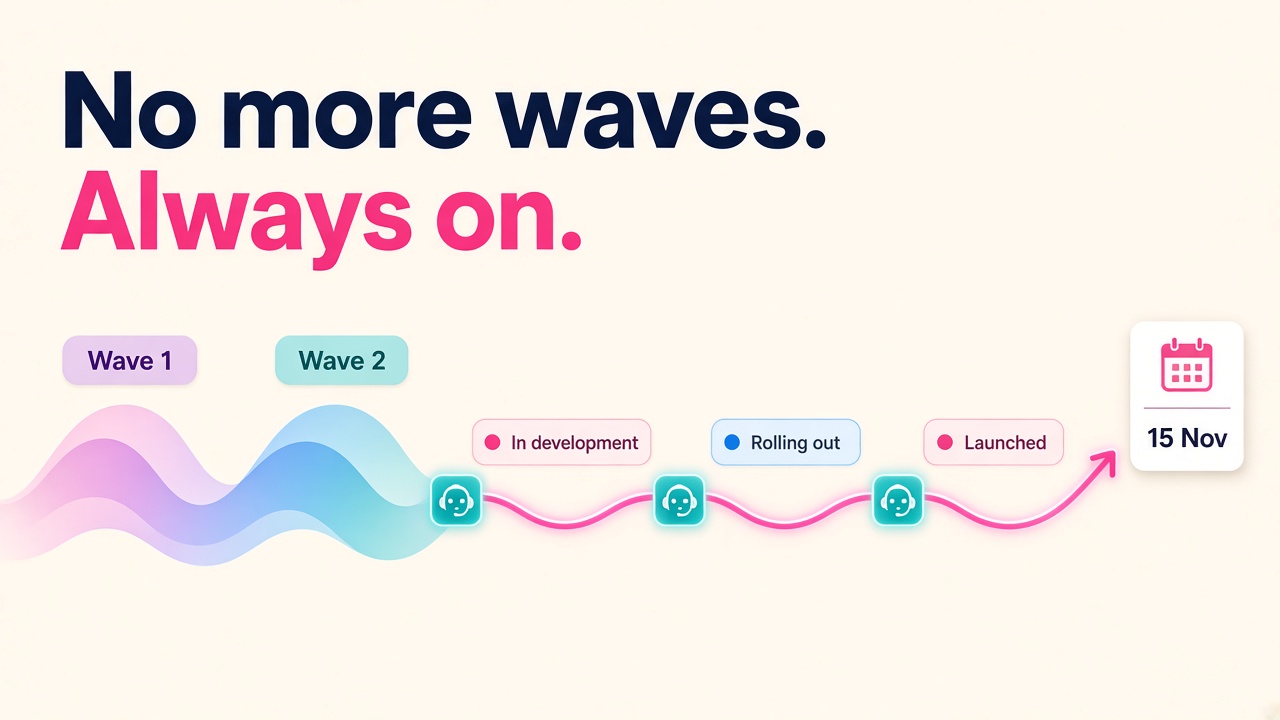
Microsoft has retired the twice-yearly release wave model for Dynamics 365, Power Platform and Dataverse. There was no September 2026 wave 2 announcement, Release Plans on Microsoft Learn are archived, and Release Planner itself retires by 15 November 2026. Everything moves to a single, always-on AI at Work roadmap shared with Microsoft 365 and Copilot.
It sounds like a housekeeping change. I am quite certain it is a lot more than that for anyone whose career runs on knowing what is coming next in D365, and on balance it is good news.
What has actually changed?
Here are the facts, straight from Microsoft's own announcement and the Message Center notice (MC1461529):
- From September 2026, new Dynamics 365, Power Platform and Dataverse roadmap items publish straight to the AI at Work roadmap.
- Existing items with a public preview or GA date on or after 1 June 2026 are being moved across during the autumn.
- By 15 November 2026, Release Planner retires and the AI at Work roadmap becomes the primary public source.
- Items are published as soon as plans are committed, then tracked through In Development, Rolling Out and Launched.
- You can filter the roadmap, export it to CSV, subscribe by RSS, or pull it into your own AI tools through the Release Communications MCP Server.
- Saved views from My Release Plans will not migrate, so if you relied on those, rebuild them now.
What is not changing matters just as much. Microsoft says product release schedules, deployment processes, support lifecycles and preview programmes stay as they are. Message Center remains the authoritative source for tenant-specific change, and Microsoft Learn stays the home of product documentation.
So the software is not suddenly shipping differently. What has changed is how, and how quickly, you find out about it.
Why did Microsoft do this?
The official reason is that customers rarely run one Microsoft product in isolation. A typical client estate now mixes D365, Power Platform, Microsoft 365, Copilot and custom agents in Copilot Studio, and one roadmap makes it easier to plan across all of them.
The less official reason is pace. Sameer Verma, who runs product for Dynamics 365 ERP, put it plainly when he unveiled the ERP roadmap at the first Directions for Enterprise event in Copenhagen on 23 September: the pace Microsoft is building at "doesn't fit" the release wave model any more. According to ERP Today's write-up, that disclosure covered seven ERP apps with capabilities available now or planned through March 2027, including a generally available Dynamics 365 ERP MCP server and an ERP plugin for Copilot Cowork.
The CRM side is moving just as quickly. On 8 October Microsoft made 30 pre-built CRM skills for Copilot Cowork generally available, working with more than 180 tools across Sales, Customer Service and Customer Insights. Two weeks later, on 21 October, it announced Microsoft Contact Center Intelligence in public preview. On 20 October the Scheduling Operations Agent for Field Service picked up batch and recurring optimisation in preview.
None of that waited for a wave. If you only refresh your knowledge twice a year, you are now permanently six months behind.
What does this mean for D365 consultants?
The "what's new" expert is now a daily job, not a twice-yearly event
Plenty of consultants built a nice reputation by reading the release plan PDF properly and briefing clients on it. That skill still has value, but the cadence has changed. The people who will stand out in 2027 are the ones who check the roadmap weekly, know what moved from In Development to Rolling Out, and can tell a client what that means for their environment on Monday morning.
The good news is that this is far easier than it sounds, and you can hand most of the legwork to an agent (more on that below).
Preview literacy becomes a core skill
Look at the October announcements again. Contact Center Intelligence is in public preview. Autopilot for CRM skills is in private preview. The Scheduling Operations Agent is in preview with hard limits: interactive optimisation for up to five resources and a 72-hour window, batch for up to 50 resources and 14 days. Many of the ERP process agents are still preview or roadmap too.
With continuous disclosure you will see more things earlier, which means more things that are not production-ready yet. Clients will ask "can we use this?" far more often. The consultant who can answer clearly, with the actual limits, the licensing position and a sensible pilot scope, is worth a lot more than the one who forwards a blog link.
Agent governance is turning into billable work
Both the ERP and CRM announcements lean hard on the same idea: Dynamics 365 stays the system of record or action, and agents reach in through MCP servers, plugins and skills. Microsoft is also clear that people stay in control. The CRM skills post explicitly separates what AI recommends, what a user approves and what actually changes, and ERP Today reports that Microsoft is planning controls that restrict what an agent can do on a user's behalf separately from what the user can do directly.
Someone has to design those boundaries, test them and explain them to an auditor. That is functional consulting, security design and change management rolled together, and it is a genuinely new line of work for D365 people. If you have ever been the person who untangled a messy security role model, you are already halfway there.
Your learning plan needs a new shape
Release waves gave everyone a natural moment to plan certifications and training. Without them, you need your own rhythm. I would suggest a light weekly roadmap check plus a deeper quarterly review where you decide what to learn next. It keeps you current without turning your evenings into homework.
Is this good or bad for D365 careers?
Glass half full: it is good, and here is why.
Faster disclosure means clients see new capabilities sooner and want help with them sooner. Every preview that turns into GA is a potential project, and the agentic features in particular touch data, security, process and people all at once. That is not work a client can do with a wizard. It needs experienced D365 people who understand the business process underneath.
It also flattens the playing field a little. Under the old model, partners with big product teams had an edge because they could digest a 500-page release plan quickly. Now a sharp independent with a decent RSS feed and an agent watching the roadmap can be just as current as a Big 4 practice. If you are weighing up independent work, have a look at the consultants directory to see how others are positioning themselves.
The realistic caveat is that the bar for "keeping up" has risen. Consultants who coast on what they learned in 2024 will find clients noticing faster. That is a reason to act, not a reason to worry.
What should employers and partners do?
If you run a practice or hire D365 talent, a few practical moves:
- Retire any internal process that says "we brief clients after each release wave". Replace it with a monthly roadmap digest built from the AI at Work roadmap filters or CSV export.
- Put someone in charge of tracking preview limits and licensing for the agents your clients are asking about. This is a real role, not a side task.
- When hiring, ask candidates how they keep current now that release plans are gone. Their answer tells you a lot. Our employers page has more on what to look for.
- Update proposal templates and SOWs that reference "2026 release wave 2" or later waves. They will confuse clients.
How do you keep up from here?
This is the practical part. Most of it you can set up this weekend.
Set up your feeds
- Bookmark the AI at Work roadmap and save filters for the products you work on, such as Dynamics 365 Finance, Supply Chain Management, Business Central, Sales or Customer Service.
- Subscribe to the roadmap RSS feed filtered to your products, and drop it into whatever reader you use.
- Use the "New or updated" filter once a week. It shows items added or changed in the last week, which is exactly what you need.
- Keep reading Message Center for your clients' tenants. It remains the authoritative source for tenant-specific change.
Put an agent on it
If you are already using AI agents in your work, this is a perfect job for one. Ask it to pull the roadmap every Monday, filter it to your products, and send you a short summary of anything new, anything that moved status, and anything that has gone from preview to GA. Microsoft has even published the Release Communications MCP Server so roadmap data can flow into your own AI tools, which makes this a no-brainer to automate.
Build a simple personal tracker
- Keep a spreadsheet of the 20 or so features your clients care about most, with status, preview date, GA date and any known limits.
- Export the roadmap to CSV monthly and compare it against your tracker.
- Note which features need licensing checks before you mention them to a client.
Get hands-on with one agent this month
Pick one preview relevant to your module, such as the Scheduling Operations Agent if you are in Field Service, or the CRM skills in Copilot Cowork if you work in Sales or Service. Run it in a sandbox, learn its limits, and write a one-page summary for yourself. That single page will make you more useful in your next client meeting than any certificate.
What to do next
- Rebuild any saved views from My Release Plans in the AI at Work roadmap before 15 November.
- Set up a weekly roadmap check, by RSS or by agent, for your products.
- Pick one preview agent and test it in a sandbox this month.
- Add "how I track the D365 roadmap" to your CV or LinkedIn summary. Employers are starting to ask.
- See which roles are asking for agent and Copilot skills on our D365 jobs board, and check current rates on the salaries page.
- If you are exploring the tools that sit alongside D365, browse products and vendors to see what the ecosystem is building on top of the new agent connectors.
The waves have gone, but the work has not. If anything there is more of it, arriving faster, for people who keep up.