Field Service Mobile Offline: New Work for D365 Pros
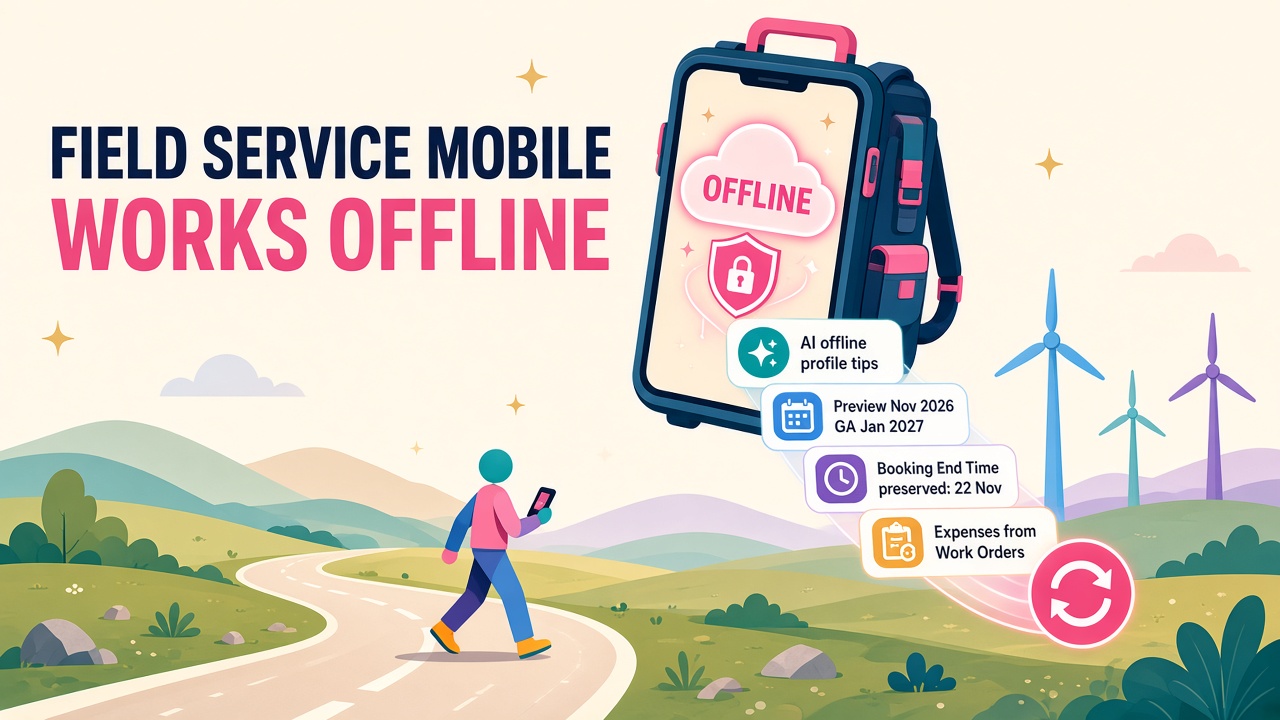
November 2026 Field Service updates tackle offline sync, booking End Time accuracy and work order expenses. Here is the new work for D365 consultants.
Field Service has always lived or died on the phone in the technician's hand. The scheduling board, the clever routing and the lovely Power BI dashboards all count for nothing if the engineer in a plant room with one bar of signal can't open the work order, log the parts and close the job.
November 2026 brings a cluster of Field Service updates that go straight at that problem. None of them is a headline-grabbing agent launch, which is exactly why I like them. They are the practical, slightly unglamorous fixes that make mobile projects succeed, and they create a clear skill set that D365 consultants and admins can own right now.
What has Microsoft actually announced?
There are four changes worth knowing, all from Microsoft's roadmap and message centre in the last few weeks.
AI recommendations for mobile offline profiles
Roadmap item 573243, published on 3 November 2026, adds AI-assisted recommendations while makers create or edit mobile offline profiles. According to the roadmap entry, the recommendations flag configuration patterns that may increase sync cost, hurt performance or create reliability risks, and suggest ways to simplify the profile and cut unnecessary sync work.
Preview is due in November 2026, with general availability in January 2027. Microsoft is careful to say makers stay responsible for reviewing the suggestions and picking the configuration that fits the business, which is the right call.
Preserve the actual booking End Time
Message centre post MC1552365 covers a new organisation-level setting called Set End Time on booked resource completion, reaching public preview on 22 November 2026 (summary at Modern Workspace Pro).
The detail matters here:
- With the setting on Yes (the default), nothing changes. If the booked resource completes a booking without supplying an End Time, Field Service sets End Time to the moment of completion and recalculates Duration.
- With the setting on No, Field Service keeps the existing End Time and Duration when the booked resource completes the booking, unless the completion request explicitly supplies a different End Time.
- Completion by another user or an integration keeps End Time either way.
- When the setting is No, the retained or supplied End Time becomes the effective Completed timestamp, so booking journals and automatic time entries line up with when the work really finished. Dataverse audit fields still show when the completion was submitted.
- It applies to future completions only and does not rewrite historical bookings.
Project expenses straight from the work order
Roadmap item 570856 lets technicians create, update and submit project-related expenses directly from a work order in Field Service web and mobile, as long as the Field Service and Project Operations integration is enabled. The expenses stay linked to the project and go through the standard Project Operations approval process. It is listed for general availability in November 2026 (roadmap summary).
A touch-first subgrid for technicians
Roadmap item 570641, updated on 3 November and now rolling out, improves the Service Task, Service and Product subgrid controls in Field Service Mobile (version 8.8.150.60). Technicians get bulk add with multi-select, a "complete all" or "use all" button, inline editing of common fields, barcode scanning to find products, and a return straight to the grid after saving (roadmap entry).
Why does this matter more than it looks?
Because time and cost data in Field Service is only as good as the moment someone taps "Complete".
Anyone who has run a Field Service rollout knows the pattern. An engineer finishes at 3pm, drives to the next site, grabs a sandwich and closes the job at 4.15pm from the van. Out of the box, the booking now says the job took an extra hour and a quarter. That hour flows into the booking journal, then into time entries, then into project actuals, billing and utilisation reports. Multiply it across a few hundred technicians and your margins, SLA reports and job costing are all a bit fictional.
The End Time setting is a small switch with a big downstream effect. Flip it to No and the record reflects when the work happened, not when someone remembered to tap a button. That is real money for any business billing time and materials, and real credibility for any operations director trying to trust their numbers.
The offline profile recommendations are the same story from a different angle. Offline profiles are where a lot of Field Service projects quietly go wrong. Somebody adds every related table "just in case", first sync takes forever, the app feels sluggish, and technicians start keeping notes on paper. An AI assistant that points out the expensive patterns while you are building the profile is a genuinely useful second pair of eyes.
Put the four changes together and the message is clear. Microsoft is investing in the frontline experience, and the work is shifting from "can we make it work on mobile?" to "can we make it fast, accurate and trusted on mobile?"
Who gets new work from this?
I am quite certain this lands well for a few groups.
Field Service functional consultants
Every existing customer now has a reason to review how bookings are completed. Does the business want End Time to follow the completion tap, or to reflect the real finish? That is a process conversation with operations, finance and payroll, and it needs someone who understands booking statuses, journals and time entries end to end. It is a tidy, billable health-check piece of work.
Power Platform makers and mobile specialists
Offline profile design has always been a niche skill. With AI recommendations arriving in preview this month, makers who understand the trade-offs (filters, related tables, sync intervals, first-sync size) will be the ones who can judge whether a suggestion is right. The AI helps, but somebody still has to know when to say no.
Project Operations consultants
Expenses from work orders is one of those features that sounds small until you see how many businesses run Field Service and Project Operations side by side. Engineering contractors, facilities firms and equipment service businesses all want field costs landing on the right project without double entry. Consultants who can set up and test the integration, the expense categories and the approval flow will be busy.
Support and admin teams
Someone has to test the preview, decide on the default, communicate the change to technicians and watch the data afterwards. For in-house D365 admins, this is a great chance to show value to the operations side of the business.
How do you build the skill this month?
You don't need a big programme. Here is a practical list you can work through over the next couple of weeks:
- Read the four roadmap items properly. Not the headlines, the detail. The End Time behaviour in particular has rules about who completes the booking and whether an End Time is supplied.
- Spin up a trial or sandbox with Field Service. Create a handful of bookings and complete them at different times, by the booked resource and by another user, so you see the default behaviour with your own eyes.
- Trace a booking through to the money. Follow one completed booking into the booking journal, time entries and, if you have Project Operations, project actuals. Being able to draw that chain on a whiteboard is what separates a consultant from a configurator.
- Audit an offline profile. Take an existing profile and list every table, filter and relationship. Note which ones are genuinely needed offline. When the AI recommendations land in your environment, compare its suggestions to your own.
- Try the new subgrid on a phone. Bulk add, complete all, inline edit and barcode scanning are things you need to feel in the hand before you can sell them to a technician who has used the same app for five years.
- Write a one-page change note. Pretend you are briefing a customer: what changes, what stays the same, the recommended setting and why. That page is reusable for every client you work with.
- Talk to an operations person. Ask a service manager how often jobs get closed late and what that does to their reports. You will learn more in 20 minutes than in a day of docs.
What should employers and partners do?
If you run a Field Service practice, this is a nice moment to package a "mobile and time integrity review" for existing customers. It is short, low risk and directly tied to margin, and it opens the door to bigger conversations about scheduling and agents later.
If you are hiring, look for consultants who talk about data flowing from the van to the invoice, not just screens and forms. Mobile offline experience, booking journal knowledge and Project Operations integration are the combination that is hard to find. You can browse people with those skills on our consultants directory or post a role through the employers page.
The bigger picture
There is plenty of excitement about agents doing the scheduling and dispatching, and rightly so. But agents are only as good as the data underneath them. A scheduling agent that learns from booking durations inflated by late completions will make poor decisions with great confidence.
That is why I see these updates as foundations for the agentic future rather than distractions from it. Accurate time, fast offline apps and clean cost capture are exactly what the next wave of Field Service AI will feed on. The consultants who get the basics right now will be the ones trusted to switch the clever stuff on next year.
The frontline has always been where Field Service earns its keep, and it is good to see Microsoft giving it some love.
What to do next
- Check the latest D365 jobs for Field Service, Project Operations and Power Platform mobile roles.
- See what Field Service and Project Operations skills are paying on our salary guide.
- Explore Field Service add-ons and ISV tools in the products directory and the vendors list.
- Book time this month to test the End Time setting in a sandbox before the 22 November preview, and add an offline profile audit to your next customer review.