D365 HR Preboarding: New Work for Human Resources Pros
Dynamics 365 Human Resources preboarding is in preview with GA due in December. What it does, who needs the skills and how to get ready for the work.
Dynamics 365 Human Resources has quietly picked up one of the most useful features it has had in years. Preboarding, which covers the awkward gap between "yes, you've got the job" and the new hire's first day, went into public preview in October with version 10.0.50, and Microsoft's roadmap item (RM578897, published 6 November 2026) puts general availability at December 2026.
Having spent decades around recruitment and HR technology, I am quite certain this is the bit of the hiring process that most organisations still run on email, spreadsheets and polite nagging. That makes it a real opportunity for D365 HR consultants, Finance and Operations people who want a new string to their bow, and anyone in HR operations who likes the idea of becoming the person who makes day one actually work.
What has Microsoft actually released?
According to the 10.0.50 release notes on Microsoft Learn, the release is on this schedule:
- Preview: October 2026
- General availability (self-update): December 2026
- General availability (auto-update): January 2027
The build is 10.0.2919, and preboarding sits in the Employee development area, switched on through Feature management.
Here is how Microsoft describes the flow. HR invites the candidate from Dynamics 365 Human Resources. The candidate signs in to the careers site and works through a guided form covering personal details, address, contacts, dependants, emergency contacts, identification, experience, education, skills, certifications, screenings and documents.
The roadmap entry adds more detail on what HR administrators get to configure:
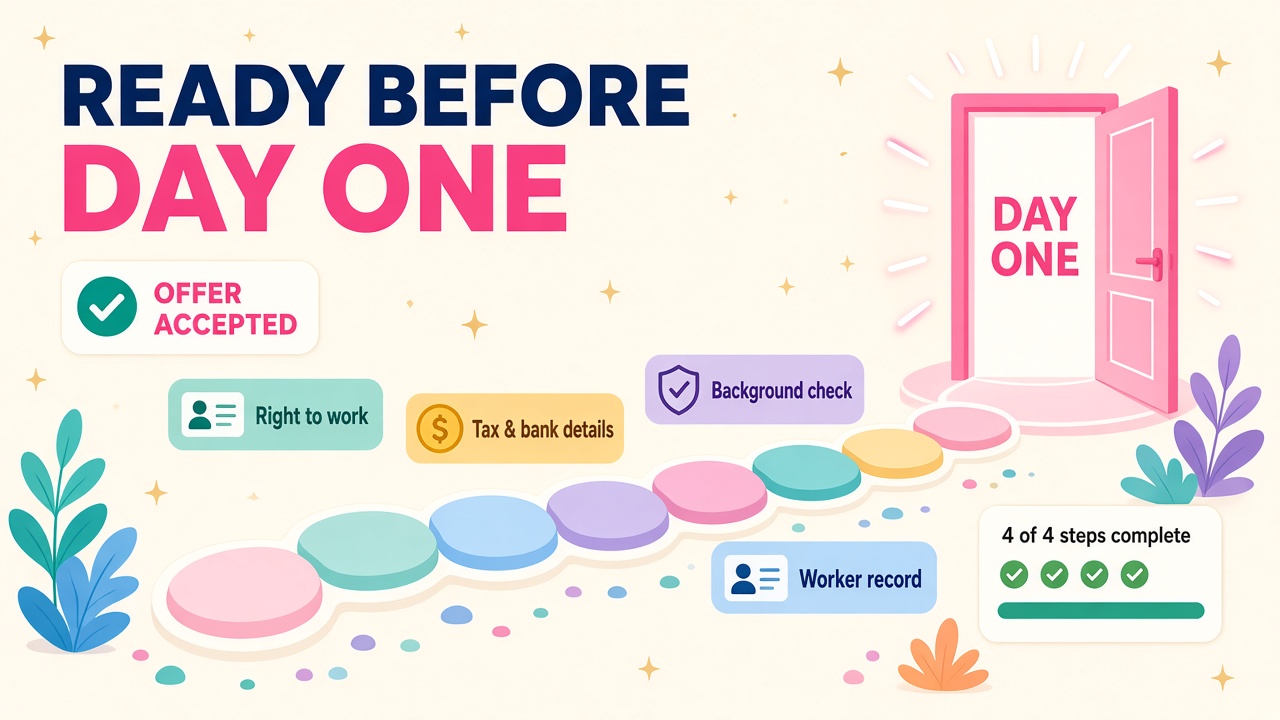
- Guided candidate steps for personal information, document uploads, right-to-work verification, tax and banking details, background verification and day-one preparation.
- Progress and task states, so the candidate can see what is done and what is left.
- Conditional steps that change the flow by country, role or worker type.
- Configurable requirements, meaning templates, validation rules, document requirements, step dependencies and gating logic.
- Worker-record mapping, so what the candidate types ends up on the worker record.
- Program-based assignment, where candidates are assigned to a program and admins choose which steps are active.
Ram Magadum from Microsoft's product team summed up the process neatly in a LinkedIn post: HR sends the invite, the candidate fills in details on the career portal (on mobile too), uploads documents and gives consent for background checks, HR approves or sends it back with a note, HR starts, tracks or skips the background check, and then the standard hire process creates the worker record. He also points out that it works with Microsoft's recruitment add-on, with another applicant tracking system, or on its own.
That last point matters a lot, and I'll come back to it.
Why is this a bigger deal than it sounds?
Anyone who has worked in recruitment knows the gap between offer and start date is where good hires go wrong. The candidate is excited, then hears nothing for a week, then gets five separate emails asking for a passport scan, bank details, an emergency contact and a signed form, often asking for the same thing twice. Meanwhile HR is chasing documents, retyping data into the HR system and hoping payroll gets it right before the first pay run.
Preboarding fixes the boring, error-prone middle of that. The candidate and HR work on the same record, so nothing is typed twice. Right-to-work checks and document collection become structured steps rather than attachments buried in an inbox. When the person is ready, the worker record is created with clean data that flows on to everything downstream.
The glass-half-full view is simple: HR teams get time back to do the human part of onboarding, and new starters get a first impression that says "this company has its act together". In a tight market for good people, that counts.
Who will need these skills?
D365 Human Resources consultants
This is the obvious one. Every customer on Dynamics 365 Human Resources will at least want to look at preboarding before the auto-update arrives in January 2027, and many will want help designing it. The configuration is not hard, but designing a good program is. Which steps apply to which countries? What validation rules make sense? Which documents are mandatory for which worker types? Where do background checks fit, and who signs them off? That is consulting work, not just clicking switches.
Finance and Operations consultants with HR exposure
Human Resources runs on the finance and operations platform, so F&O people who know their way around Feature management, parameters, security roles and data entities are well placed to pick this up quickly. If you have touched worker records, positions or payroll integration, you already understand where the data needs to land.
Integration and ATS specialists
Because preboarding can sit behind a third-party applicant tracking system, there will be integration work connecting an ATS offer accepted event to a preboarding invite, and mapping candidate data across. Plenty of organisations run a separate ATS, so this is likely to be a common pattern rather than an edge case.
Payroll and compliance people
Tax and banking details, right-to-work verification and background screening all have country-specific rules. People who understand UK right-to-work checks, Australian tax file declarations or US I-9 requirements, and can translate them into conditional steps and validation rules, will be very useful on these projects.
HR operations and HRIS analysts
On the customer side, someone has to own the preboarding program day to day. If you are an HRIS analyst, getting hands-on now while it is in preview is a smart way to become the go-to person internally.
There is more in 10.0.50 than preboarding
The same release also brings some solid performance management changes that are worth knowing about if you work in HR:
- Goal weights. HR administrators can set default, minimum and maximum weights on goal templates, and those values are copied to employee goals created from them.
- Job-based filter. Admins can link jobs to goal templates and goal groups, so when a manager assigns goals from a template or group, the worker list narrows to people whose active job matches.
- Weighted achievement. Employee goals get an actual goal weight, there is a live total goal weight indicator, and all goals in a weighted review must have weights above zero that add up to exactly 100% before the review can move from Not started to In progress.
None of these are headline-grabbers on their own, but together with preboarding they show Microsoft putting real effort into the people side of the ERP stack. That is good news for anyone who has wondered whether D365 HR skills have a future. They do.
Where does AI fit in?
Microsoft hasn't described preboarding as an agent, and I won't pretend otherwise. It is a structured, configurable workflow. But it is exactly the kind of clean, well-defined process that agents thrive on. Once candidate data, document status and background check progress are captured consistently in Dataverse-backed records, it becomes far easier to put a Copilot Studio agent on top to answer candidate questions, nudge people who have stalled on a step, or brief a hiring manager on who is ready to start next Monday.
In other words, the consultants who design good preboarding programs now are laying the foundations for the agent work that follows. Getting the process and data right is the boring bit that makes the exciting bit possible.
Practical ways to get ready
Here is what I would do this month if I worked in or around D365 HR:
- Read the release notes properly. Start with the 10.0.50 what's new page and Microsoft's getting started link at aka.ms/preboarding.
- Turn it on in a sandbox. Preboarding is enabled through Feature management and configured in Human resources parameters. Build a test program end to end and invite yourself as a candidate.
- Design for two or three countries. Try a UK, Australian and US variant with conditional steps. That exercise alone will teach you most of what customers will ask.
- Map the data. Write down which preboarding fields land on which worker record fields, and where they go after that, such as payroll or identity systems.
- Think about the ATS story. If your customers use a separate ATS, sketch how an accepted offer would trigger the invite.
- Learn the goal weights changes too. It is an easy add-on conversation with HR customers who already run performance reviews in D365.
- Write it up. A short LinkedIn post or internal note showing a working preboarding flow is a great way to show you are ahead of the curve.
What does this mean for jobs and pay?
D365 HR has always been a smaller niche than Finance or Supply Chain, which is exactly why people with genuine, current experience stand out. Features like preboarding give customers a fresh reason to invest in their HR platform, and that tends to mean optimisation projects, extra configuration work and new roles for people who can bridge HR process and D365 configuration.
I'd expect the strongest demand to be for consultants who combine HR process knowledge with F&O platform skills and some integration know-how. If that is you, or could be you with a few weekends of hands-on work, now is a great time to lean in. You can check current rates on our D365 salaries page and see what employers are asking for on the jobs board.
What to do next
- Browse the latest Dynamics 365 jobs and look for HR, F&O and HRIS roles that mention onboarding or employee lifecycle work.
- Check salary data to see where D365 HR and F&O skills are landing right now.
- If you are a consultant, make sure your profile on our consultants directory mentions Dynamics 365 Human Resources and preboarding.
- Employers hiring for HR transformation work can post a role and reach D365 people directly.
- Looking at tools that sit around D365 HR, such as ATS or background screening apps? Have a look at our products and vendors directories.
Preboarding is a small feature on paper with a big impact on how new starters feel about their new employer. Get hands-on before December and you'll be ready when customers start asking.