Business Central Expense Agent: New Work for BC Finance Pros
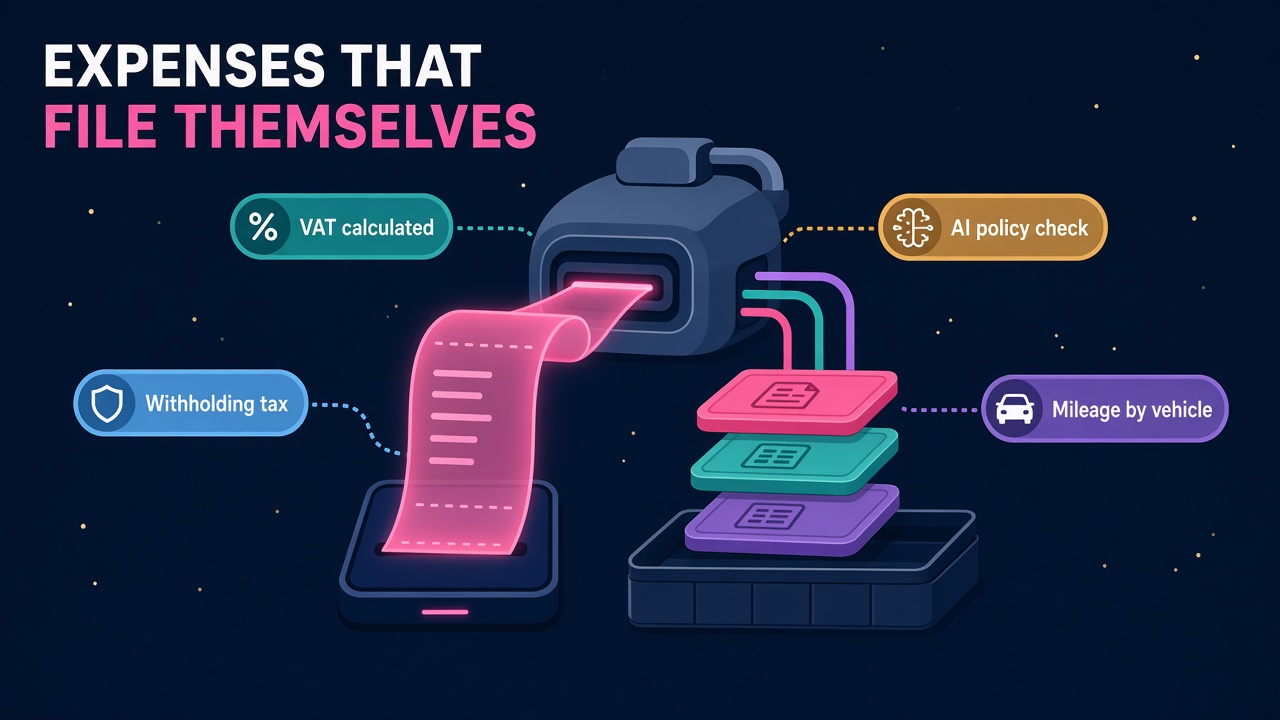
Business Central Expense Agent now handles VAT, withholding tax, AI policy approvals and every BC country. Here is the work and the skills it creates for you.
Nobody ever got into finance because they loved chasing crumpled taxi receipts. Yet in plenty of Business Central customers, expense claims still eat hours every month: receipts photographed at odd angles, mileage typed in from memory, VAT worked out on a calculator and withholding tax handled in a spreadsheet after the claim has already been approved.
That is changing quickly. With Business Central 2026 release wave 2 (update 29.0), the Expense Agent has picked up one of the biggest feature drops of the whole release, and it is now available in every country and region where Business Central is sold. For BC consultants, finance pros and admins, this is a genuinely useful new line of work, and it is arriving in a part of the system almost every customer touches.
What is the Business Central Expense Agent?
The Expense Agent is Microsoft's AI-assisted expense tool built into Business Central. Employees capture receipts through the web or mobile app, or simply send them to an expense mailbox. The agent pulls out the merchant, date and amount, suggests a category and prepares the expense for review. People still check the results and submit their reports for approval, so finance keeps control while the re-keying disappears.
It first arrived in preview in spring 2026, and ERP Times describes the expense management side as a production-ready preview with supplemental terms of use. That matters for how you pitch it, which I will come back to.
What is new in 2026 release wave 2?
Microsoft's update 29.0 overview lists a whole block of Expense Agent features, all in public preview:
- More countries and languages (roadmap 573253). The agent now covers all countries and regions where Business Central is available, adding Czech, Dutch, Finnish, Icelandic, Italian, Norwegian and Swedish. The roadmap entry lists October 2026 for both preview and GA.
- VAT calculation and reporting from expense reports (573262). The agent identifies VAT-relevant transactions, calculates the amounts and aggregates them for reporting and recovery. Accountants must review and confirm the VAT before posting. The roadmap targets GA in December 2026.
- Automatic withholding tax on expense reports (573304), plus withholding tax on employee transactions (573308). GA is planned for April 2027.
- AI-driven approvals (573255). Expense policies are written in plain language and the agent flags claims that look out of line.
- Mileage by date range and vehicle type (573254), so the right rate applies from the expense date.
- Better duplicate prevention (573258) and a control to use assigned projects only in the web app (573259).
A Microsoft walkthrough summarised on BC Observatory adds more colour: credit card feeds are coming later (announced for December, starting with manual statement upload), interim approvers, delegate approvals and travel requests are rolling out gradually between October and December, and a new iPhone and Android app that crops receipts and works offline is in preview for testing.
That is a lot for one release. It also tells you where Microsoft is heading: expenses become a mostly hands-off process, with humans approving the exceptions.
Why should BC professionals care?
Expense management is one of those areas that sits slightly outside the core ERP project. It often ends up in a separate app bolted on with an integration, or it gets pushed to "phase two" and quietly forgotten. Now it lives natively in Business Central, with an agent doing the grunt work, and every customer with a travelling sales team, field engineers or site staff has a reason to look at it.
Here is where I see the work landing.
Tax setup is where the real skill sits
The VAT and withholding tax features are the clever bits, and they are only as good as the setup behind them. ERP Times points out that withholding tax depends on three things: the Expense Agent (Preview) app, the Withholding Tax app and a complete withholding tax posting setup. Each expense category can use a single tax or a group of tax components, calculated in simple or compound mode, and thresholds can be checked per line or accumulated per category, or in total over a month, quarter, year or fiscal period.
Business Central does not ship country rates for you. You enter the percentages, thresholds and accounts yourself, and the system keeps applying them until someone updates them. The same goes for VAT: it is identified from receipts in the user's home country, accountants confirm it, and some countries do not allow VAT reclaim through expense reports at all.
That is a perfect job for a consultant who understands both local tax rules and Business Central posting groups. If you can sit with a finance controller, map their policy into expense categories and posting setup, and test it properly, you are worth a lot to that customer.
Policies written in plain English need a good writer
AI-driven approvals let finance teams write their travel and expense policy as readable text, and the agent checks claims against it. The BC Observatory summary notes that this has to be switched on in setup, incurs additional AI costs, and flags rather than blocks, so approvers can still approve a non-compliant expense.
This is a lovely bit of new work. Most companies have an expense policy that is a dusty PDF nobody reads. Turning it into a clear, testable set of rules the agent can apply is part policy writing, part process design and part change management. The same thinking applies to the Approvals Agent in Project Operations, which now even has a policy authoring assistant to improve the policies it reads. Policy writing for agents is quietly becoming a skill in its own right.
Agent permissions and governance
Update 29.0 also brings easier agent permission management, a dedicated task pane for all agents and on-page review of agent-generated content to general availability. An ERP Software Blog checklist puts it well: treat every agent as a user, review its permission sets, who can configure it and whether those rights break segregation of duties. Online customers can schedule update 29.0 any time in a window that ends in February 2027, so there is a clear deadline for getting this right in a sandbox.
An agent that touches expense reimbursements and tax postings is exactly the kind of agent auditors will ask about. BC admins who can explain and evidence those controls will be in demand.
Adoption is the real project
The best expense tool in the world fails if employees keep emailing receipts to their manager. Rolling out the mobile app, the expense mailbox, mileage setup and approval chains is classic adoption work: training, quick guides, a pilot group and a bit of patience. It is also work that keeps you close to the customer long after go-live, which is never a bad thing.
How do you position this with customers?
Be honest about status. Most of these features are public preview, with GA dates spread from October 2026 to April 2027. The sensible pitch is a sandbox pilot now, with one department or one country, so the customer is ready to switch on as each feature reaches GA. Remember to factor in the extra AI cost of policy checks, and check the current roadmap entries before you put dates in a proposal, because they can move.
It is also worth connecting this to the wider licensing picture. Sherweb's November partner update notes that new Business Central and Microsoft 365 Copilot Business bundles arrive on 1 January 2027, and partners are already using them to frame BC modernisation and AI readiness as one conversation. Expenses make a very tangible first example of what "AI in your ERP" actually looks like day to day.
What skills should you build first?
If you work in or around Business Central, this is a short list worth working through:
- Spin up a sandbox on update 29.0, install the Expense Agent and run a full claim from receipt to posting.
- Learn the withholding tax posting setup properly, including gross versus net (gross-up) calculation and threshold periods.
- Set up VAT reclaim for one country you know well and walk through the accountant review step.
- Write a plain-language expense policy and test how the AI approval check flags edge cases.
- Configure mileage rates by date range and vehicle type, then test a claim that spans a rate change.
- Review the agent's permission sets against segregation of duties and document what you find.
- Keep an eye on credit card feeds and travel requests as they roll out, since they will change how claims are created.
None of this is hard, and a weekend in a sandbox will put you ahead of most of the market.
What does this mean for the BC jobs market?
Finance-savvy Business Central consultants have always been valuable. Agents like this one make that combination even more valuable, because the system can now do the repetitive parts and the human value shifts to setup, policy, tax accuracy and governance. That is a good trade for anyone who would rather design the process than key in receipts.
I am genuinely optimistic about this. Every time Microsoft hands a chunk of admin to an agent, it frees finance teams to do better work and creates a fresh wave of projects for the people who can set it up well.
What to do next
- Browse current Business Central and D365 roles and look for finance, tax and AI keywords in the descriptions.
- Check what finance-focused BC consultants are earning on our salaries page.
- If you already deliver Expense Agent or tax setup work, make sure your profile on consultants says so clearly.
- Employers planning a wave 2 upgrade can find help through employers, and you can compare expense and AI add-ons on products and vendors.
Pick one sandbox task from the list above and do it this week.