Account Reconciliation Agent: The D365 Finance Skill to Learn
Microsoft's Account Reconciliation Agent now clears D365 Finance exceptions in bulk. What it does, how to set it up and why finance pros should learn it now.
Month-end close has always had a slightly grim rhythm to it. Export the SSRS reports, drop them into Excel, tick and bash the subledgers against the general ledger, chase down the odd voucher that doesn't match, and do it all again next month. Dynamics 365 Finance is quietly retiring that ritual, and the Account Reconciliation Agent is the reason.
Microsoft's agentic ERP update, announced in September and picked up again by ERP News on 3 November, says the agent is "evolving to resolve exceptions in bulk, enabled by legal entity and module, addition of limits and notifications, and expanded agent suggestion summaries". That is a fairly dry sentence, but for anyone working in D365 Finance it describes a real change in how the close gets done, and a real opportunity for the people who learn it first.
What is the Account Reconciliation Agent?
The agent sits on top of the Account reconciliation workspace in Dynamics 365 Finance. According to Microsoft Learn, the workspace reconciles the general ledger with the accounts payable, accounts receivable, tax and bank subledgers, and it replaces the old reactive SSRS reports. Reconciliation runs in the background on a schedule (every six hours by default), so exceptions show up as they happen rather than in a panic on day three of the close.
Every exception the workspace raises comes with three AI-generated fields:
- Suggested action, the step the agent thinks will resolve it.
- Analysis, the context it pulled from the underlying data.
- Justification, the reasoning behind the suggestion.
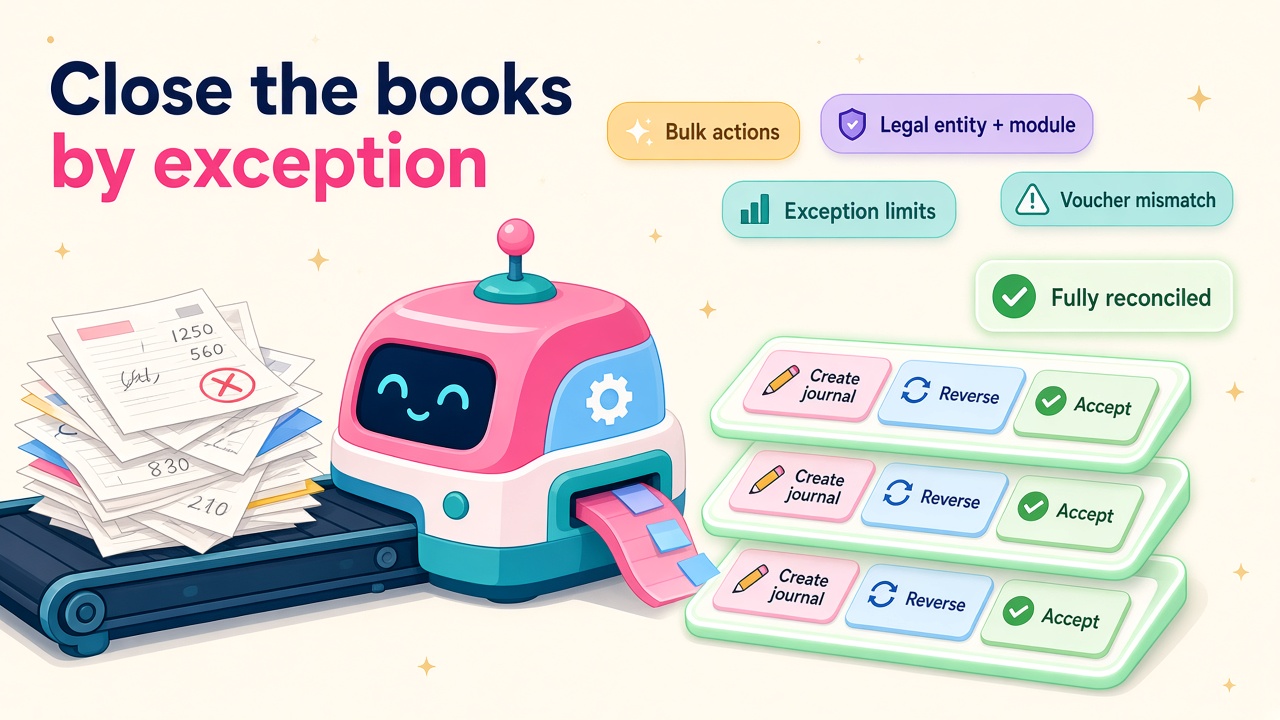
Per the agent documentation, it currently processes two exception types: voucher amount mismatch and pending accounting transferred to general ledger. For a mismatch it might recommend Create journal entry, and you can accept that or choose Reverse, Link transactions or Accept without change instead. Every action is logged in the exception history, whether a user, an automation or the agent took it. Auditors will like that a lot.
It is still labelled a production ready preview, so treat it as something to pilot properly rather than switch on across forty companies on a Friday afternoon.
What has actually changed?
The big one is bulk mitigation. On the Mitigate exceptions page there is now a Group exceptions checkbox. Tick it and the agent's suggestions are grouped by legal entity, area (module), issue type and suggested action. You then get an action card along the lines of "Create journal entry · 40 exceptions", flagged as AI recommended, with a grid showing voucher, main account, difference, ledger amount and subledger amount for each row.
You can untick rows, change the action on individual lines, set the offset account, comment and journal date, and then submit the lot in one go. If you've ever cleared forty identical rounding differences one at a time, you'll understand why finance teams are excited.
The other changes are about control, which is exactly what a sensible finance lead wants before letting an agent near the ledger:
- Enabled by legal entity and module. You choose which modules participate and rank them in priority order, so you can start with one entity and one subledger.
- Exception limits. You set daily or monthly limits on how many exceptions the agent processes.
- Alerts. Notifications when usage hits 50%, 75% or 90% of the limit, when a run is skipped because of the limit, or when a balance falls below a threshold you define.
- Richer suggestion summaries, so a controller can see what the agent recommended and why. One small catch worth knowing: the full summary currently only shows when the user language is set to EN-US.
Microsoft's 2026 release wave 1 plan also lists better 1:1, 1:many and many-to-many matching, fuzzy logic and tolerance rules, and autonomous exception classification, with general availability pencilled in for September 2026.
Why this matters for finance careers
I'm firmly in the glass-half-full camp on this. Reconciliation is one of those jobs that is essential, tedious and very easy to fall behind on. Handing the repetitive part to an agent does not remove the need for accountants. It moves them up the value chain.
Microsoft describes the goal as "a continuous financial close". In practice that means the close stops being "work through every line" and becomes "review what the agent couldn't settle". The judgement calls stay with people: materiality, write-offs, segregation of duties, whether a difference is a genuine error or a timing issue. Those are the skills that pay well, and they become more visible when the grunt work disappears.
It also opens up new work on the project side. Somebody has to design the rollout, decide which entities go first, set sensible limits, tune the matching rules, train the controllers and write the controls documentation the auditors will ask for. That somebody is a D365 Finance consultant who understands both the accounting and the agent.
Who should learn it first?
- D365 Finance functional consultants. This will come up in every Finance implementation and upgrade conversation from now on. Being the person who has actually configured it is a strong edge.
- Financial controllers and finance systems analysts in D365 shops. If you run the close, you want to be the one who designs how the agent fits into it, not the one who inherits someone else's set-up.
- Power Platform and D365 admins. The deployment touches Copilot Studio, Power Platform admin center, connection references, flows and DLP policies. That is admin territory.
- Auditors and risk people working with Dynamics clients. Knowing what the exception history captures, and what it doesn't, is going to matter.
How to set it up (the short version)
Microsoft's setup guide is thorough, but here is the shape of it so you know what you are getting into:
- Version check. You need Dynamics 365 Finance 10.0.46 or later, plus the Copilot for finance and operations apps package 1.0.3048.2 or later and Copilot in Microsoft Dynamics 365 Finance 1.0.3049.1 or later in Power Platform admin center.
- Feature management. Turn on Immersive Home, Agent management and (Production ready preview) Account reconciliation agent.
- Check Copilot Studio. The agent is published automatically, but DLP policies can block it. Confirm it is published and shared in the environment.
- Create a dedicated agent identity. Microsoft recommends a separate identity, with Dataverse roles (Finance and Operations basic user, Account reconciliation agent role, Environment maker) and Finance roles (Account reconciliation agent, System user). Microsoft notes the system agent security role is exempt from finance and operations user licence requirements.
- Deploy. Use the Agent deployment wizard from Copilot Hub in Power Platform admin center, or the PowerShell script Microsoft provides to set connections and activate the flows.
- Configure the agent. In Modules > Agents, enable the Account reconciliation template, set a start date, add and rank modules, set exception limits and turn on the alerts you want.
None of this is hard, but it crosses finance, security and Power Platform. That cross-skill mix is precisely why the people who can do it end to end are going to be in demand.
Practical tips before you switch it on
A few things I'd want any client or candidate to think about:
- Start narrow. One legal entity, one or two modules, a modest daily limit. Watch what it suggests for a full period before you widen it.
- Review before you trust. Use the grouped view, but read the analysis and justification on a sample of rows in each group. If the reasoning is off, you'll spot it quickly.
- Agree the rules for Accept without change. Rounding and small differences are the obvious candidates, but decide the threshold as a finance policy, not on the fly.
- Keep a human on posting. The agent recommends and helps create journals. Posting, approvals and segregation of duties should still follow your normal controls.
- Tune the schedule. Microsoft suggests more frequent runs if people live in the workspace all day, and once a day if they don't.
- Know its limits. It reasons over standard Finance data. Customisations, ISV subledgers and external bank formats are where you should expect hand-backs.
- Document everything. Write down the limits, alerts, modules and acceptance rules. That document becomes your audit trail and, frankly, a great portfolio piece.
What it means for hiring
Agentic finance features are landing fast across Dynamics 365. Alongside reconciliation, Microsoft is bringing AI invoice recognition to accounts payable, re-engineered financial journals for higher volumes and intercompany complexity, and a Finance Agent with skills across Excel, Outlook and Teams. Employers are going to look for Finance consultants who can talk confidently about all of it, and the Account Reconciliation Agent is the most concrete place to start because it is in the product today.
If you're hiring, it is worth adding "has configured or piloted the Account Reconciliation Agent" to your D365 Finance shortlist criteria. If you're a candidate, a sandbox, a weekend and a clear write-up of what you learned will set you apart in interviews. You can check current pay levels on our D365 salaries page and see who is hiring on the D365 jobs board.
What to do next
- Spin up a sandbox on 10.0.46 or later and work through Microsoft's setup guide end to end, including the agent identity.
- Run one real period through the workspace with the agent switched on for a single entity, and note what it recommended, what you accepted and what you changed.
- Add it to your profile. Update your consultant profile with what you configured and the results you saw.
- Employers: post your Finance roles on D365 Market and say clearly that agent experience is a plus.
- Partners and ISVs: if you've built reconciliation add-ons or services around the agent, list them on our products and vendors pages.
The close is getting smarter, and the people who learn to manage the agent are going to have a very good couple of years.